> ## Documentation Index
> Fetch the complete documentation index at: https://docs.bloxcord.net/llms.txt
> Use this file to discover all available pages before exploring further.
# Live View
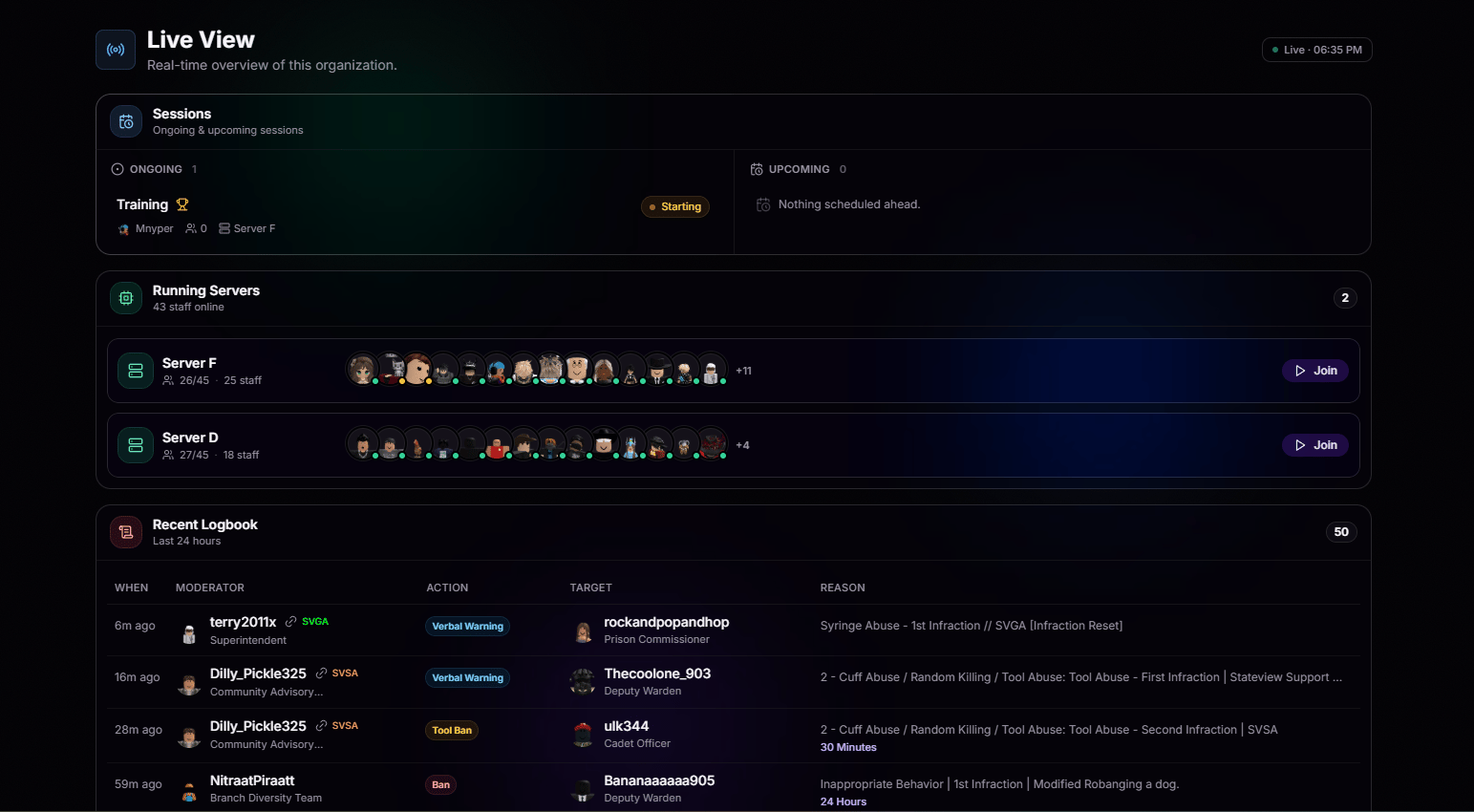
> Live View gives you a real-time overview of your organization. Monitor active sessions, game servers, and logbook activity as everything happens.
 ## Sessions
View ongoing and upcoming sessions at a glance. Live sessions and those starting soon are posted, so you never miss what's happening.
See what's running right now, who's hosting, and how many are attending.
Know what's scheduled next so you're never caught off guard.
## Running Servers
View every active server, exactly how many staff are inside, and jump in with a single click. No hunting through Roblox, no server hopping. Just pick one and go.
See who's in each server with real-time avatars and counts.
Teleport straight into any running server without leaving the dashboard.
## Recent Logbook
See who performed each action, what authority they used, which rule was applied, and how long the action lasts when applicable. Color-coded entries make warnings, bans, and other moderation actions easy to identify at a glance.
Moderator, action, target, and reason all in one clean row.
Warnings, tool bans, and full bans each stand out with their own color.
Timed punishments show length right alongside the reason.
The freshest actions rise to the top so you always see what just happened.
## Sessions
View ongoing and upcoming sessions at a glance. Live sessions and those starting soon are posted, so you never miss what's happening.
See what's running right now, who's hosting, and how many are attending.
Know what's scheduled next so you're never caught off guard.
## Running Servers
View every active server, exactly how many staff are inside, and jump in with a single click. No hunting through Roblox, no server hopping. Just pick one and go.
See who's in each server with real-time avatars and counts.
Teleport straight into any running server without leaving the dashboard.
## Recent Logbook
See who performed each action, what authority they used, which rule was applied, and how long the action lasts when applicable. Color-coded entries make warnings, bans, and other moderation actions easy to identify at a glance.
Moderator, action, target, and reason all in one clean row.
Warnings, tool bans, and full bans each stand out with their own color.
Timed punishments show length right alongside the reason.
The freshest actions rise to the top so you always see what just happened.