> ## Documentation Index
> Fetch the complete documentation index at: https://docs.bloxcord.net/llms.txt
> Use this file to discover all available pages before exploring further.
# Activity
> Understand exactly when a player is active, how long they play, and where they spend their time. Filter activity by segment, include or exclude AFK time, and open any individual game join for a complete session breakdown.
Gameservers must be enabled before live game server data can be viewed or managed. Visit the Features tab to get started.
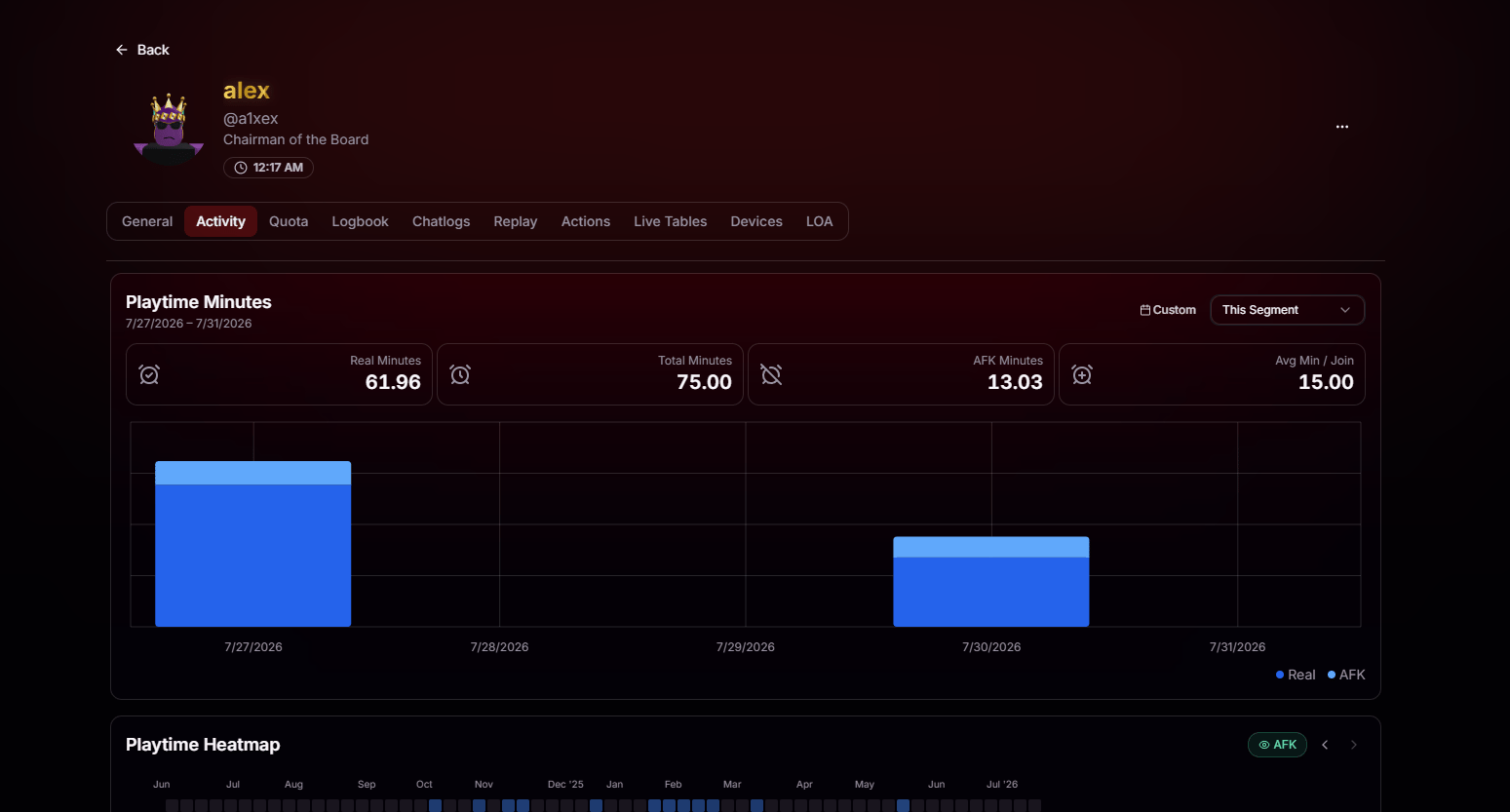 Actual time in-game with the AFK time stripped out.
Every minute they were connected, AFK included.
How much of their session was spent idle.
Average length of each game join across the segment.
## Playtime Heatmap
Below the activity breakdown is a heatmap of the player's complete history with your organization. Each square represents a day, with darker colors indicating more time played, making it easy to spot consistent activity, weekend-only players, long breaks, and sudden returns at a glance. Beneath the heatmap, you'll also find a quick summary showing total hours played, active days, and the exact date range currently being displayed.
Actual time in-game with the AFK time stripped out.
Every minute they were connected, AFK included.
How much of their session was spent idle.
Average length of each game join across the segment.
## Playtime Heatmap
Below the activity breakdown is a heatmap of the player's complete history with your organization. Each square represents a day, with darker colors indicating more time played, making it easy to spot consistent activity, weekend-only players, long breaks, and sudden returns at a glance. Beneath the heatmap, you'll also find a quick summary showing total hours played, active days, and the exact date range currently being displayed.
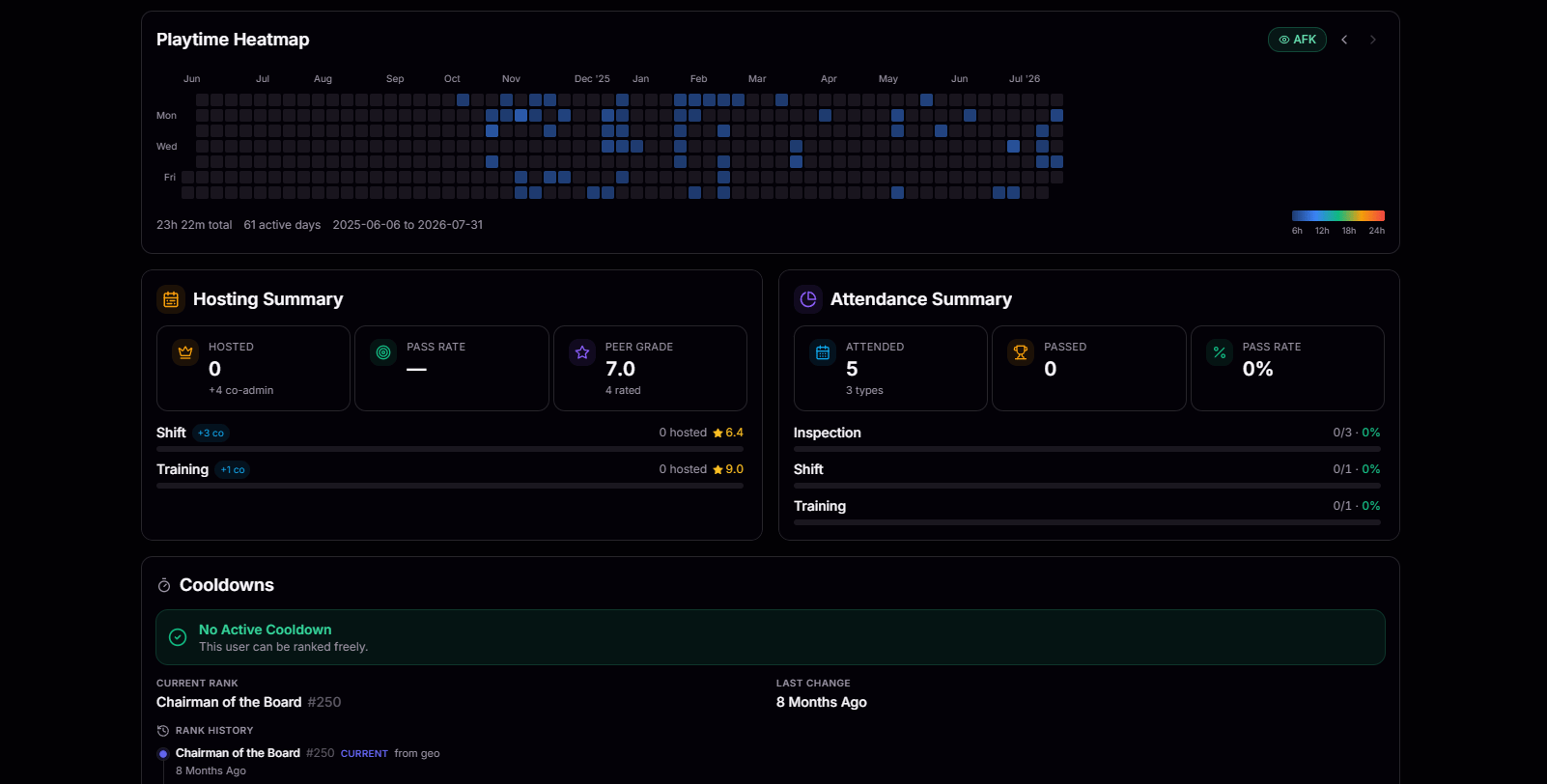 Toggle the **AFK** pill in the top right to include or exclude AFK time from the heatmap. Great for telling the difference between someone who's genuinely active and someone who just leaves the game open.
## Hosting & Attendance Summary
The **Hosting Summary** card gives you a quick overview of the player's hosting activity. See how many sessions they've hosted, how often they host, and how the community has rated their performance, all in one place. Beneath the summary, you'll find a breakdown by session type, such as Shifts, Trainings, Inspections, or any other event your organization hosts, complete with individual host counts and average ratings so you can quickly identify where they excel.
See the total number of sessions the player has hosted for your organization.
See how many participants successfully passed the player's hosted sessions.
Average rating from peers across all rated sessions.
On the right, the **Attendance Summary** shows the player's performance as a participant instead of a host. Review how many sessions they've attended, the different session types they've participated in, their overall pass rate, and a per-type breakdown showing exactly how many sessions they passed and failed.
## Cooldown Summary
See at a glance whether the player is currently affected by any promotion or rank cooldowns. If they're eligible, BloxCord displays **No Active Cooldown**. Otherwise, you'll see exactly which cooldown is active, when it expires, and what's preventing their next promotion. You'll also find their current rank, the date of their most recent rank change, and a complete history of every promotion, demotion, and transfer they've received.
## Recent Game Joins
The Game Joins list displays every recent session for the selected activity segment, including the server, join and leave times, total playtime, and AFK time for each session. Select any entry to expand a detailed session breakdown with everything BloxCord recorded during that individual game join.
Toggle the **AFK** pill in the top right to include or exclude AFK time from the heatmap. Great for telling the difference between someone who's genuinely active and someone who just leaves the game open.
## Hosting & Attendance Summary
The **Hosting Summary** card gives you a quick overview of the player's hosting activity. See how many sessions they've hosted, how often they host, and how the community has rated their performance, all in one place. Beneath the summary, you'll find a breakdown by session type, such as Shifts, Trainings, Inspections, or any other event your organization hosts, complete with individual host counts and average ratings so you can quickly identify where they excel.
See the total number of sessions the player has hosted for your organization.
See how many participants successfully passed the player's hosted sessions.
Average rating from peers across all rated sessions.
On the right, the **Attendance Summary** shows the player's performance as a participant instead of a host. Review how many sessions they've attended, the different session types they've participated in, their overall pass rate, and a per-type breakdown showing exactly how many sessions they passed and failed.
## Cooldown Summary
See at a glance whether the player is currently affected by any promotion or rank cooldowns. If they're eligible, BloxCord displays **No Active Cooldown**. Otherwise, you'll see exactly which cooldown is active, when it expires, and what's preventing their next promotion. You'll also find their current rank, the date of their most recent rank change, and a complete history of every promotion, demotion, and transfer they've received.
## Recent Game Joins
The Game Joins list displays every recent session for the selected activity segment, including the server, join and leave times, total playtime, and AFK time for each session. Select any entry to expand a detailed session breakdown with everything BloxCord recorded during that individual game join.
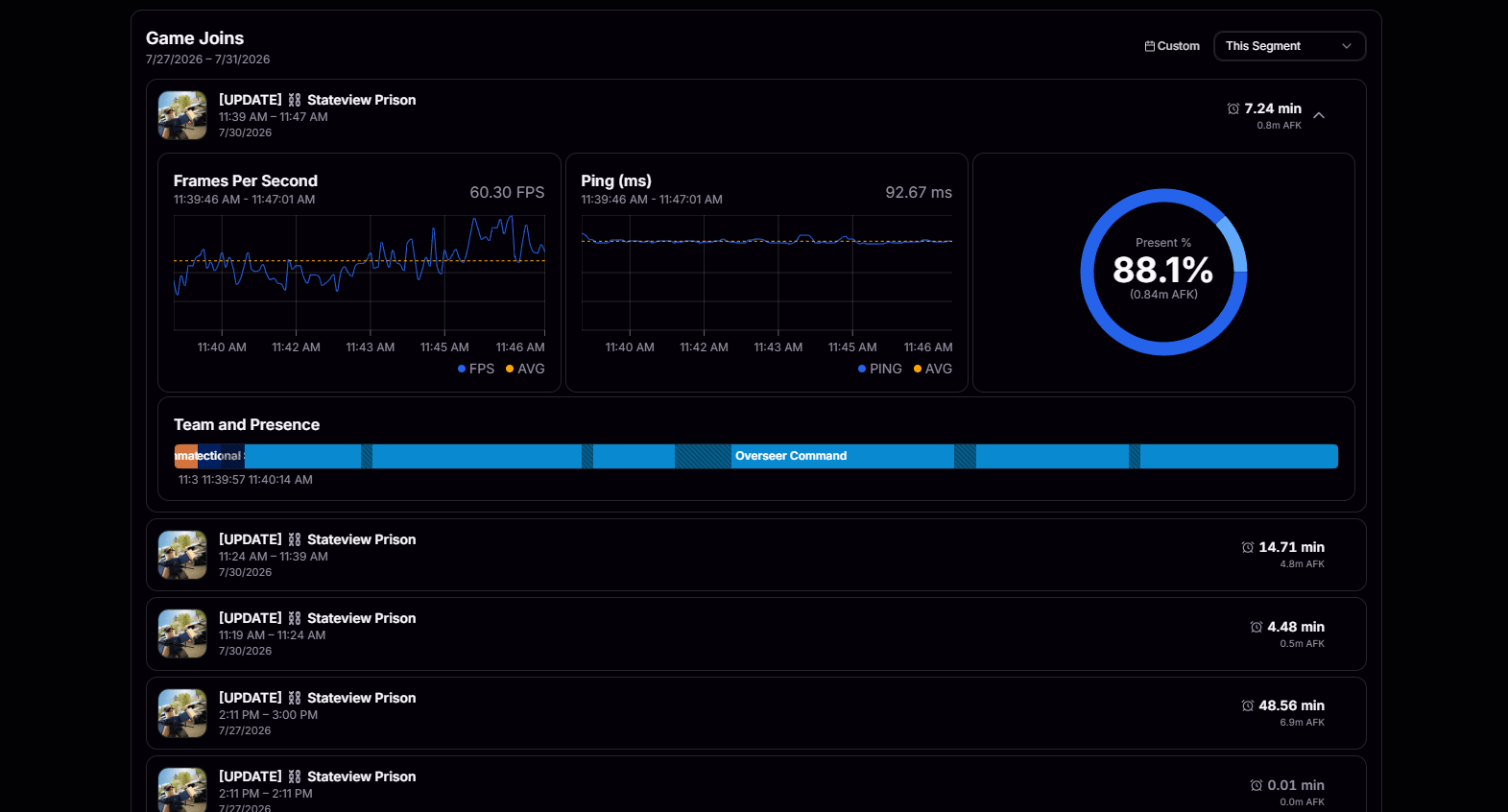 Live FPS graph across the entire session with the average marked.
Network latency over time, so you can tell lag from AFK.
How much of the session they were actually present versus AFK.
Timeline of what team they were on and when they moved between them.
Live FPS graph across the entire session with the average marked.
Network latency over time, so you can tell lag from AFK.
How much of the session they were actually present versus AFK.
Timeline of what team they were on and when they moved between them.