> ## Documentation Index
> Fetch the complete documentation index at: https://docs.bloxcord.net/llms.txt
> Use this file to discover all available pages before exploring further.
# Devices
> See every device a player has used to access your game, along with when it was last seen, Roblox-provided device details, BloxCord insights like country and resolution, and warnings for anything unusual.
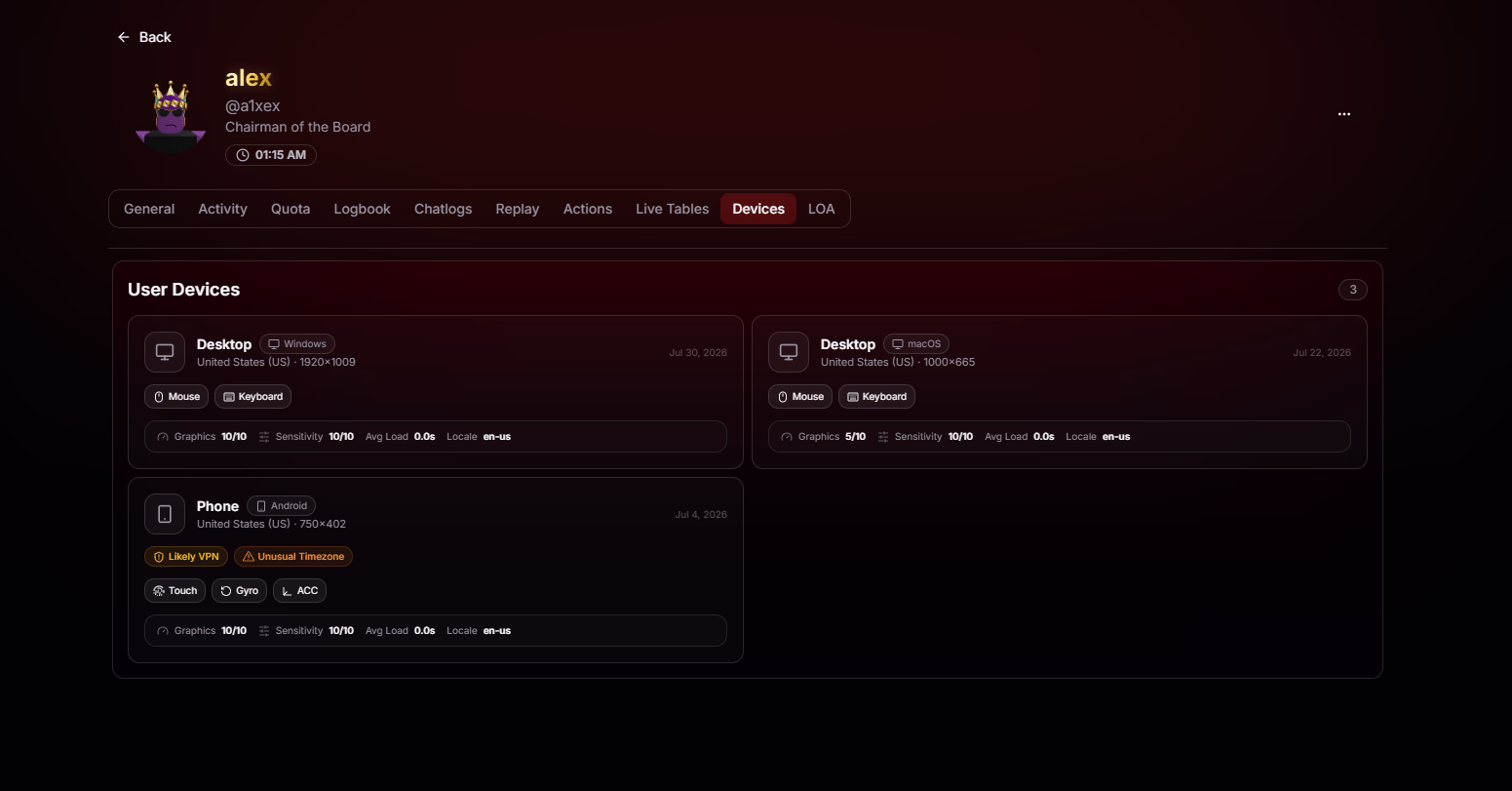 See the player's device type, including Desktop, Phone, Tablet, or Console, along with the detected operating system such as Windows, macOS, Android, or iOS.
Every device is timestamped with the last time it joined your game, so you can tell active hardware from long-forgotten sessions.
View Roblox-reported device details, including graphics quality, sensitivity, average load, locale, and supported input methods such as mouse, keyboard, touch, gyro, and accelerometer.
See the detected country and screen resolution for each device, providing additional geographic and device context at a glance.
## Automatic Warnings
BloxCord automatically flags suspicious devices, making it easy for staff to spot potential issues without digging through the details.
When a device's connection profile matches known VPN, proxy, or anonymizer patterns, it's tagged so you can factor that into moderation decisions.
If a device's timezone doesn't match its detected country or expected activity, BloxCord flags it as a potential anomaly for staff to review.
See the player's device type, including Desktop, Phone, Tablet, or Console, along with the detected operating system such as Windows, macOS, Android, or iOS.
Every device is timestamped with the last time it joined your game, so you can tell active hardware from long-forgotten sessions.
View Roblox-reported device details, including graphics quality, sensitivity, average load, locale, and supported input methods such as mouse, keyboard, touch, gyro, and accelerometer.
See the detected country and screen resolution for each device, providing additional geographic and device context at a glance.
## Automatic Warnings
BloxCord automatically flags suspicious devices, making it easy for staff to spot potential issues without digging through the details.
When a device's connection profile matches known VPN, proxy, or anonymizer patterns, it's tagged so you can factor that into moderation decisions.
If a device's timezone doesn't match its detected country or expected activity, BloxCord flags it as a potential anomaly for staff to review.