> ## Documentation Index
> Fetch the complete documentation index at: https://docs.bloxcord.net/llms.txt
> Use this file to discover all available pages before exploring further.
# Live Tables
> Live Tables show every specialized permission a player has been granted through BloxCord. View custom admin levels, temporary overrides, elevated command access, and more, along with when each permission was granted and whether it expires.
Live Tables must be enabled before tables can be viewed or managed. Visit the Features tab to get started.
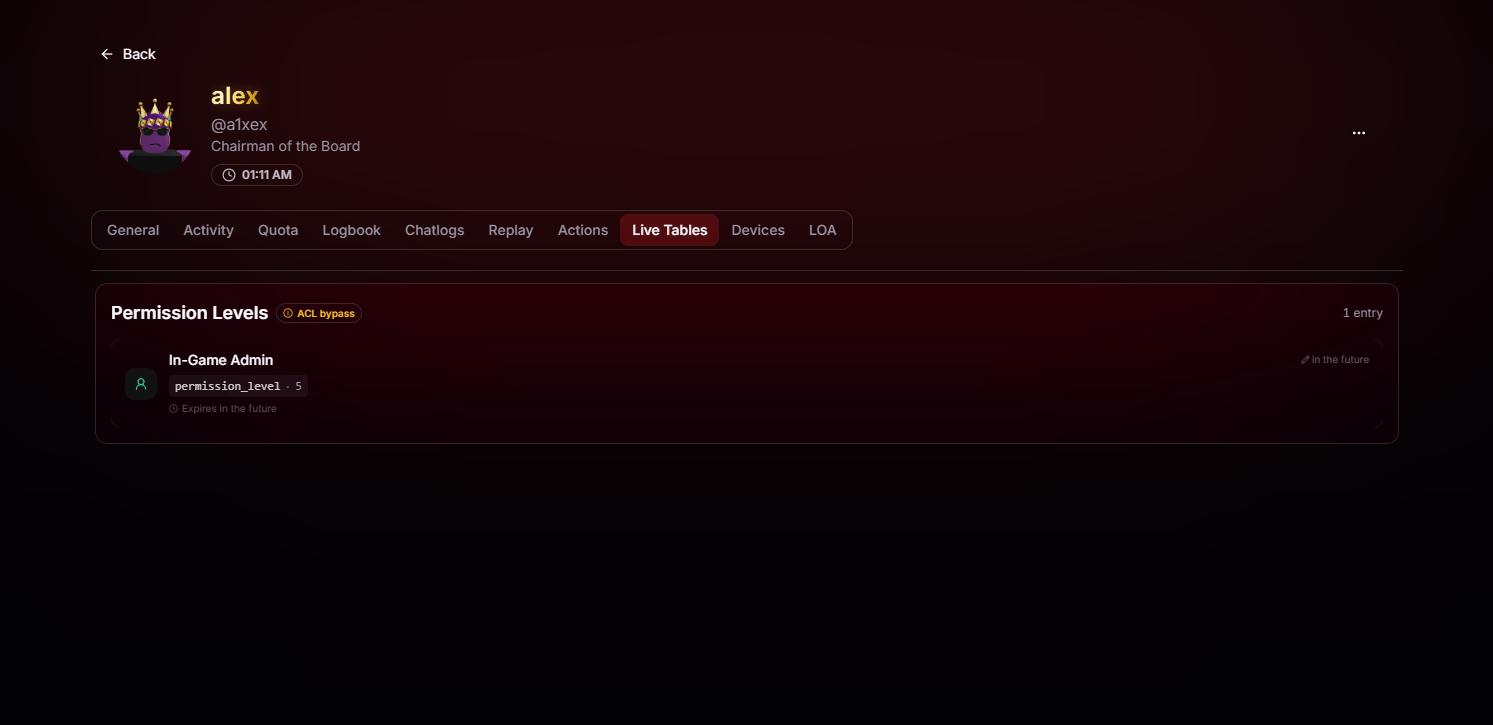 Each entry represents a permission the player currently has in-game. If BloxCord is enforcing it, you'll see it here in real time.
See the exact level or value assigned to each permission, making it easy to tell whether a player has basic access or elevated privileges.
Quickly see whether each permission is permanent or temporary, so you know at a glance if it will expire.
Whether it's a custom admin tier, a temporary override, or a completely bespoke permission set, every permission enforced through BloxCord appears here in one place.
Each entry represents a permission the player currently has in-game. If BloxCord is enforcing it, you'll see it here in real time.
See the exact level or value assigned to each permission, making it easy to tell whether a player has basic access or elevated privileges.
Quickly see whether each permission is permanent or temporary, so you know at a glance if it will expire.
Whether it's a custom admin tier, a temporary override, or a completely bespoke permission set, every permission enforced through BloxCord appears here in one place.