> ## Documentation Index
> Fetch the complete documentation index at: https://docs.bloxcord.net/llms.txt
> Use this file to discover all available pages before exploring further.
# Quota
> Track every quota assigned to the player in one place. See what's complete, what's still outstanding, and filter by activity segment to review progress over time.
Activity Quotas must be enabled before quota progress and statistics can be displayed. Visit the Features tab to get started.
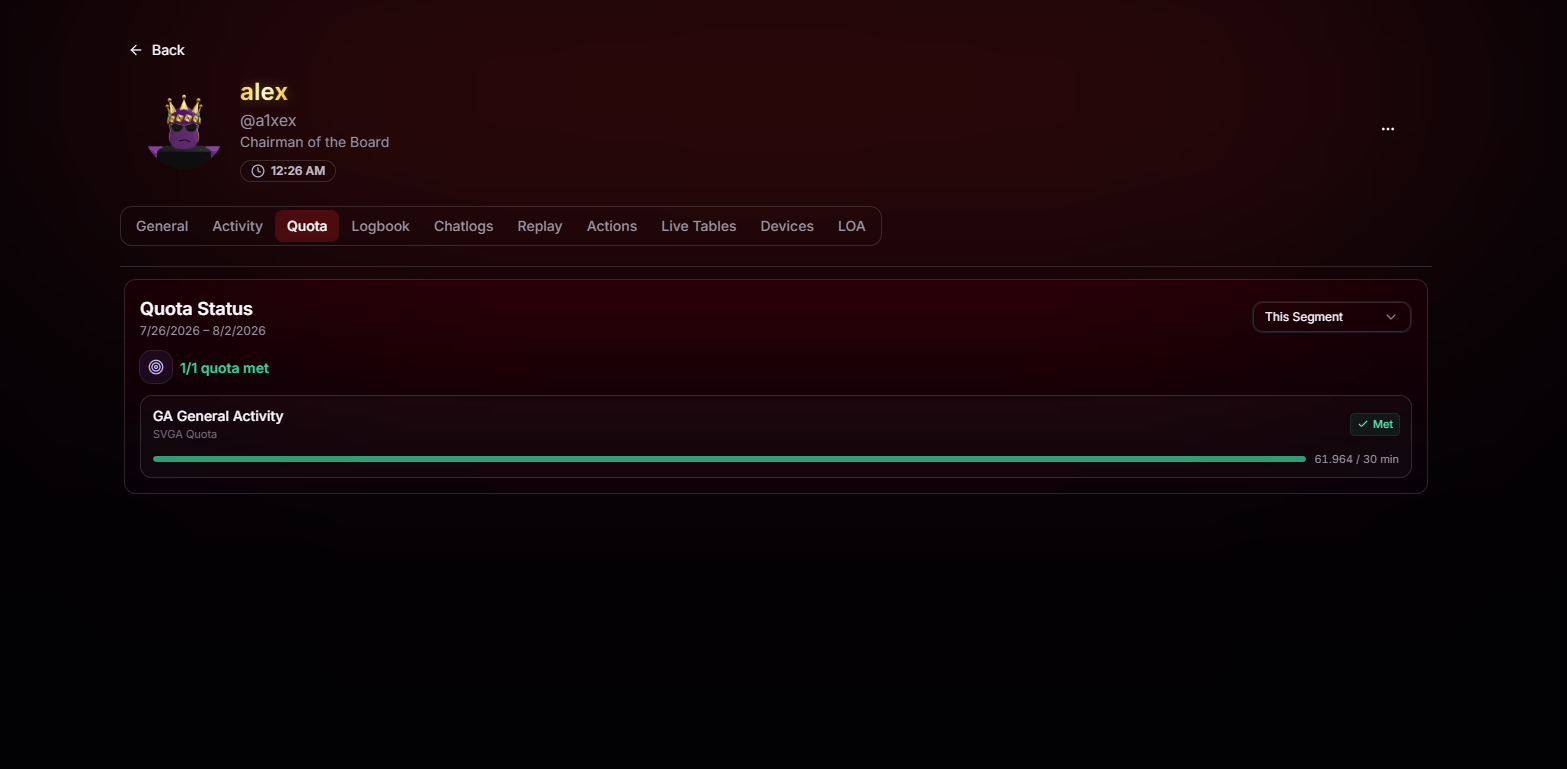 At a glance you'll see:
* **Quota status** for the selected segment, including how many quotas have been met out of the total assigned.
* **Each individual quota**, its type, current progress, target, and whether it's marked **Met** or not.
* **Segment filter** in the top right, so you can review this segment, past segments, or whatever range that matters to you.
At a glance you'll see:
* **Quota status** for the selected segment, including how many quotas have been met out of the total assigned.
* **Each individual quota**, its type, current progress, target, and whether it's marked **Met** or not.
* **Segment filter** in the top right, so you can review this segment, past segments, or whatever range that matters to you.