> ## Documentation Index
> Fetch the complete documentation index at: https://docs.bloxcord.net/llms.txt
> Use this file to discover all available pages before exploring further.
# Profiles
> The Profiles page is your organization's social hub. Search for any member, view their roles and reputation, or personalize your own profile with pronouns, an About Me, and all the premium features available to your account.
Dashboard Profiles must be enabled before profile information can be displayed or changed. Visit the Features tab to get started.
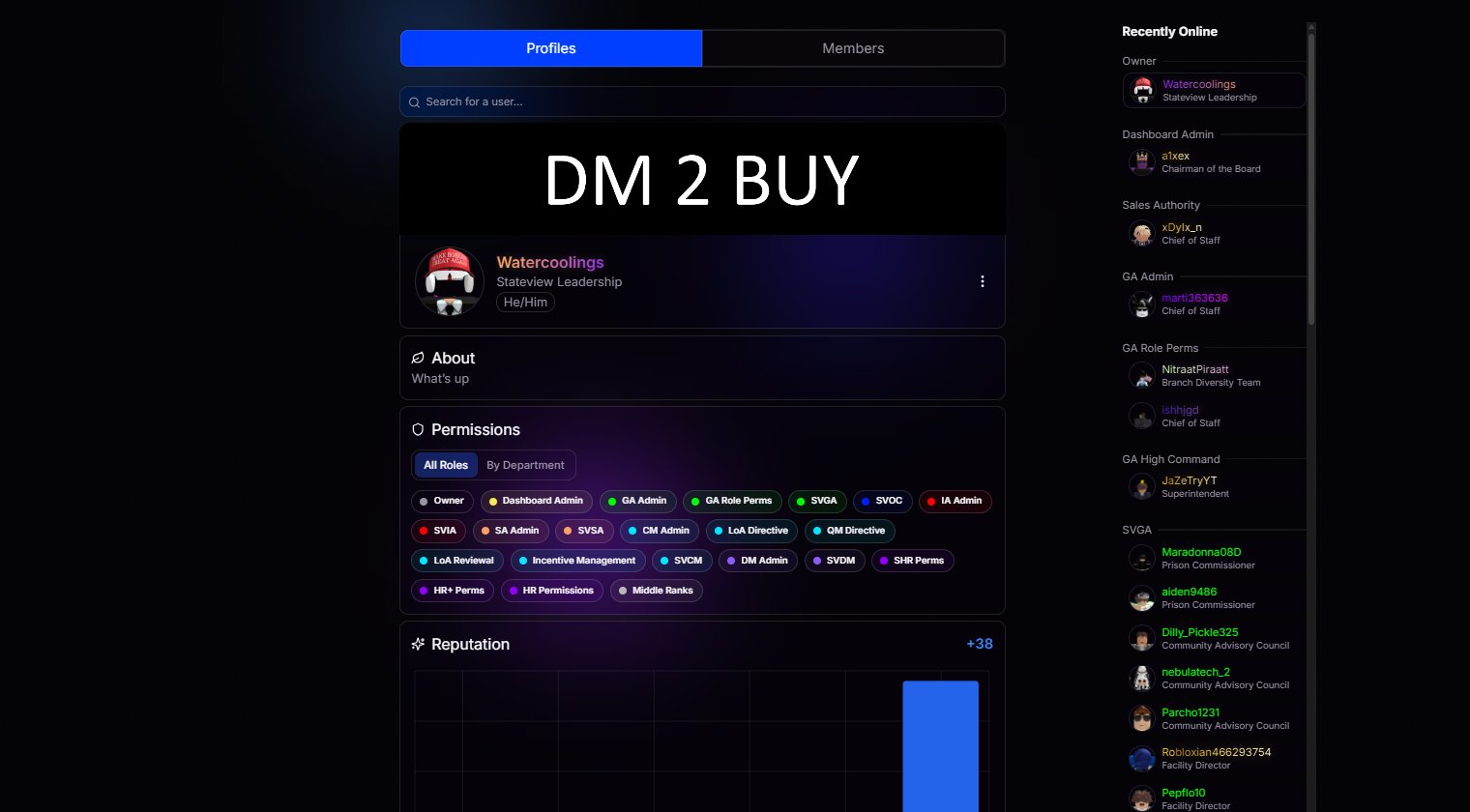 Your profile, front and center. View your roles, reputation, and personal details, then customize them to reflect who you are. On the right, an online members panel lets you instantly see who's active and jump straight to their profile with a single click.
See who's online right now, updated in real time.
Tap any online member to open their full profile instantly.
## Look Up Anyone
Search for any member of your organization to pull up their profile, roles, and reputation with you.
## Your Profile, Your Way
Customize your profile with personal details, preferences, and exclusive cosmetic features.
Your profile, front and center. View your roles, reputation, and personal details, then customize them to reflect who you are. On the right, an online members panel lets you instantly see who's active and jump straight to their profile with a single click.
See who's online right now, updated in real time.
Tap any online member to open their full profile instantly.
## Look Up Anyone
Search for any member of your organization to pull up their profile, roles, and reputation with you.
## Your Profile, Your Way
Customize your profile with personal details, preferences, and exclusive cosmetic features.
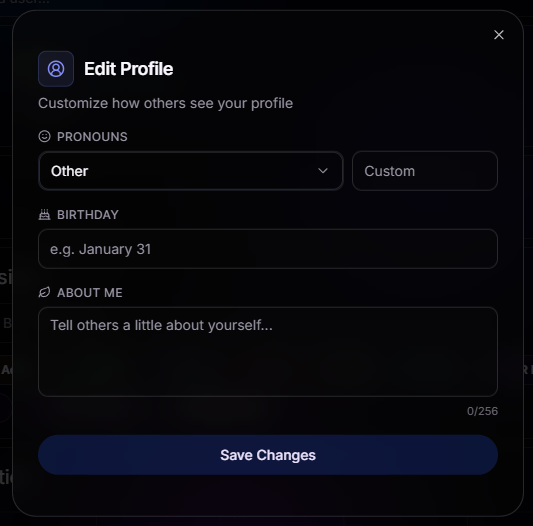 Let your team know how to address you.
Add your birthday so your organization can celebrate with you when the day comes.
Share a bit of yourself in your own words.
Quickly spot members who have upgraded their profiles with premium-exclusive customization.
Let your team know how to address you.
Add your birthday so your organization can celebrate with you when the day comes.
Share a bit of yourself in your own words.
Quickly spot members who have upgraded their profiles with premium-exclusive customization.