> ## Documentation Index
> Fetch the complete documentation index at: https://docs.bloxcord.net/llms.txt
> Use this file to discover all available pages before exploring further.
# Ranking
Ranking cannot be used until Rank Changes are enabled and your Roblox Cookie or Open Cloud API has been configured. Visit the Features tab to complete the setup.
Ranking is one of the most important parts of running your organization. Whether you're promoting, demoting, or reviewing a member, everything you need is right here, with a workflow built to make every rank change fast, accurate, and effortless.
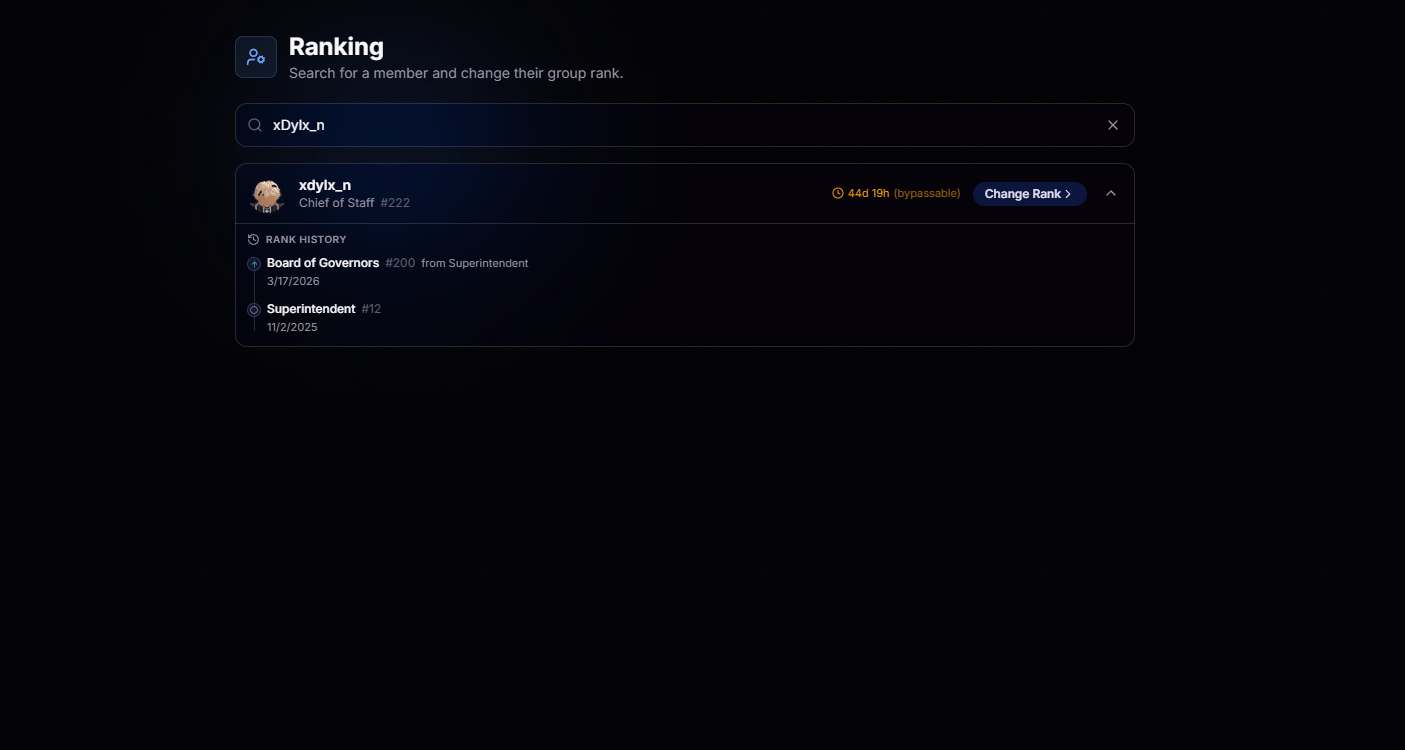 Type a username or Discord ID and the right member surfaces in seconds.
Rank, cooldown, and history load side by side, no extra clicks.
See whether a member is on promotion cooldown, when it expires, and why before making a rank change. If your permissions allow it, you'll also see whether the cooldown can be bypassed.
View a member's complete rank history, including every previous rank and when each change occurred.
## Change Rank
Click **Change Rank** to choose a new rank, provide an optional reason, and confirm the change. BloxCord updates your Roblox group instantly and automatically records the action for a complete audit trail.
Type a username or Discord ID and the right member surfaces in seconds.
Rank, cooldown, and history load side by side, no extra clicks.
See whether a member is on promotion cooldown, when it expires, and why before making a rank change. If your permissions allow it, you'll also see whether the cooldown can be bypassed.
View a member's complete rank history, including every previous rank and when each change occurred.
## Change Rank
Click **Change Rank** to choose a new rank, provide an optional reason, and confirm the change. BloxCord updates your Roblox group instantly and automatically records the action for a complete audit trail.
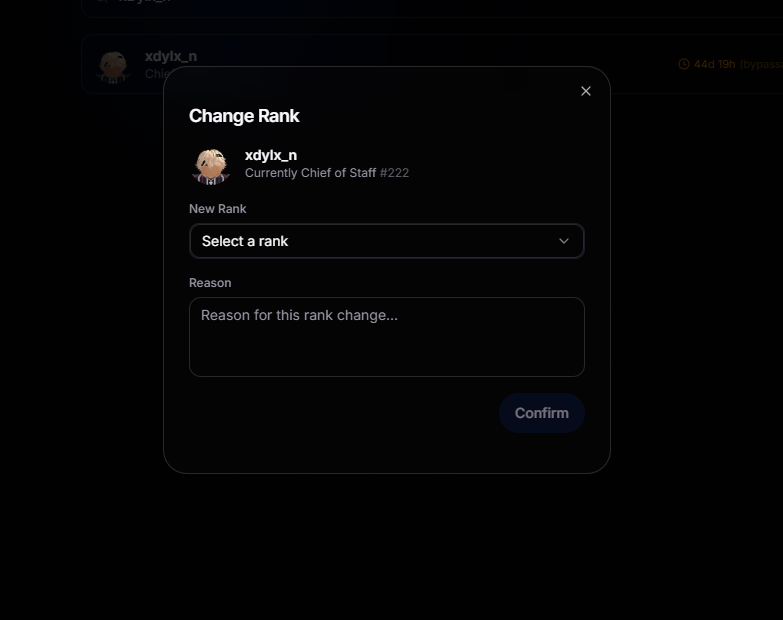 Changes push straight to your group, no side trips required.
Every rank action needs a reason, so the audit trail stays useful.
Every rank change is automatically recorded in the member's history, giving you a complete record of their progression through your organization.
The system respects cooldowns by default, protecting you from mistakes.
Changes push straight to your group, no side trips required.
Every rank action needs a reason, so the audit trail stays useful.
Every rank change is automatically recorded in the member's history, giving you a complete record of their progression through your organization.
The system respects cooldowns by default, protecting you from mistakes.