> ## Documentation Index
> Fetch the complete documentation index at: https://docs.bloxcord.net/llms.txt
> Use this file to discover all available pages before exploring further.
# Sessions
> Sessions are the heartbeat of your organization. From trainings and tryouts to shifts, BloxCord gives you a fully customizable system to host, schedule, and review sessions with ease.
Sessions must be enabled before you can view, manage, or customize sessions. Visit the Features tab to get started.
## The Overview
Anyone with permission lands on a clean overview of everything that matters. See what's happening right now, what's coming up, and what just wrapped up, all at a glance.
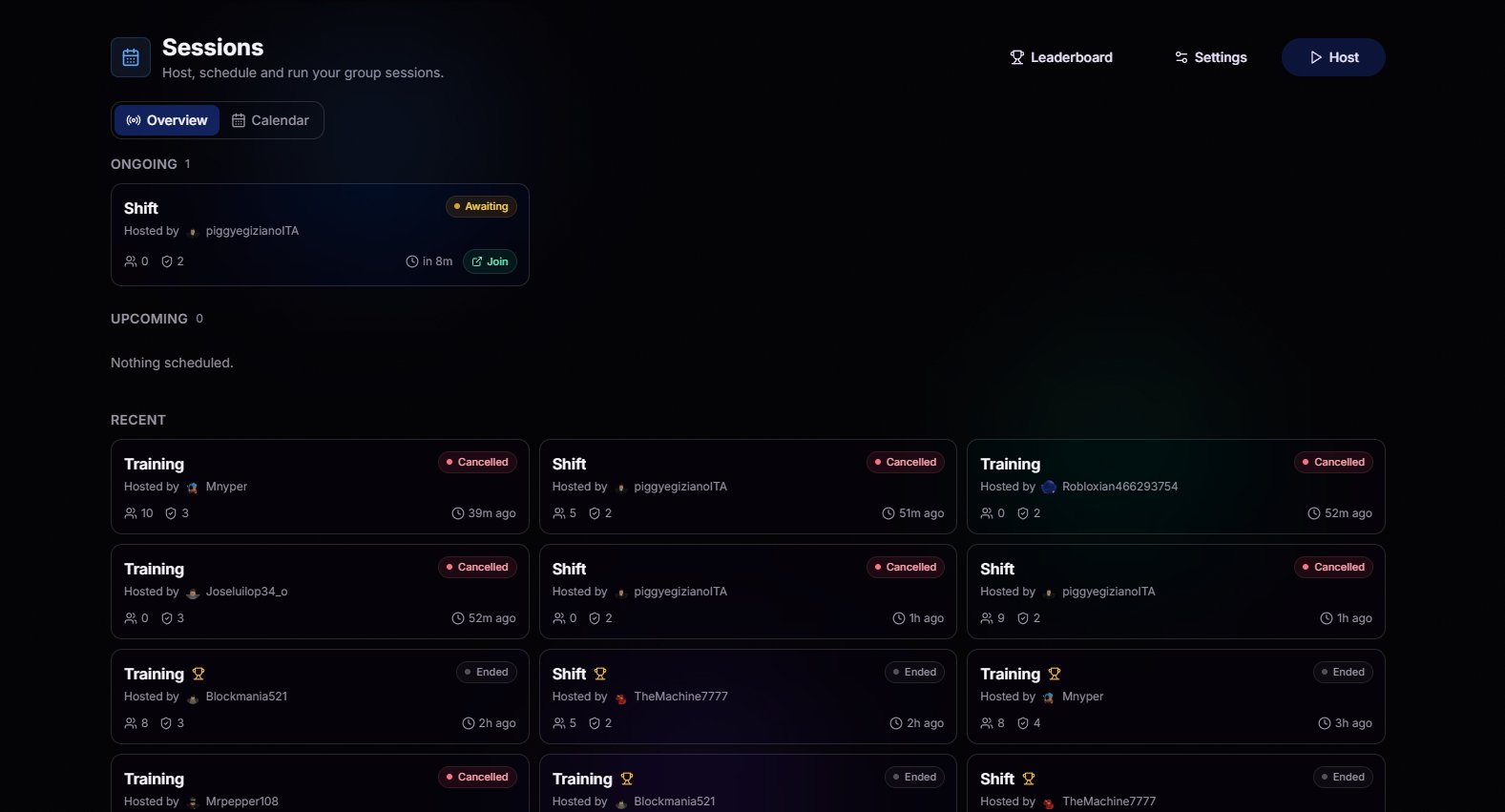 A live feed of recently completed sessions, complete with hosts, timestamps, and outcomes.
See every upcoming session at a glance, so members know when to show up and staff know what's coming next.
Host a session with a single click. Pick a session type, and BloxCord automatically verifies you're in-game before starting, preventing ghost hosts and empty sessions.
Claim a calendar slot ahead of time so no two hosts step on each other and members can plan around it.
## The Calendar
Switch to the calendar view for a week-at-a-glance look at every open slot, reservation, and exclusive block. Reserve a time that works, add an optional note, and you're all set.
A live feed of recently completed sessions, complete with hosts, timestamps, and outcomes.
See every upcoming session at a glance, so members know when to show up and staff know what's coming next.
Host a session with a single click. Pick a session type, and BloxCord automatically verifies you're in-game before starting, preventing ghost hosts and empty sessions.
Claim a calendar slot ahead of time so no two hosts step on each other and members can plan around it.
## The Calendar
Switch to the calendar view for a week-at-a-glance look at every open slot, reservation, and exclusive block. Reserve a time that works, add an optional note, and you're all set.
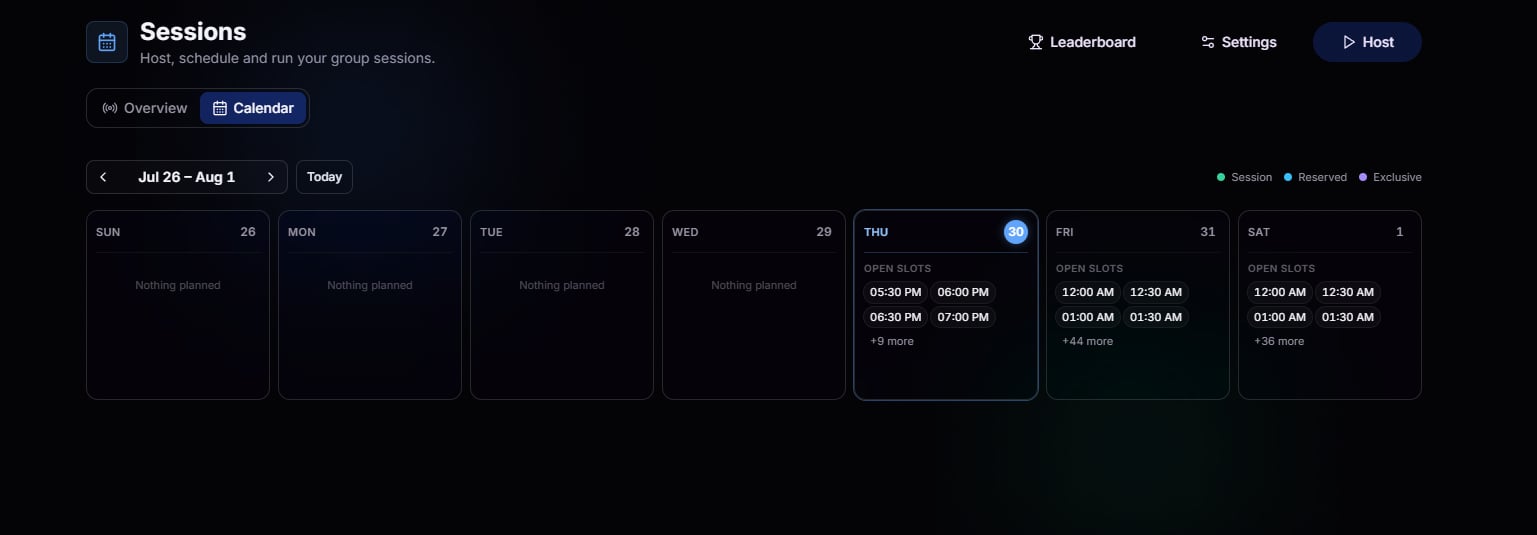 See exactly when you can host without overlap.
Block nearby session times when you need the spotlight, like for high-attendance sessions.
## The Leaderboard
Every organization has a host who never stops hosting. The leaderboard celebrates their dedication and fuels a little friendly competition.
See exactly when you can host without overlap.
Block nearby session times when you need the spotlight, like for high-attendance sessions.
## The Leaderboard
Every organization has a host who never stops hosting. The leaderboard celebrates their dedication and fuels a little friendly competition.
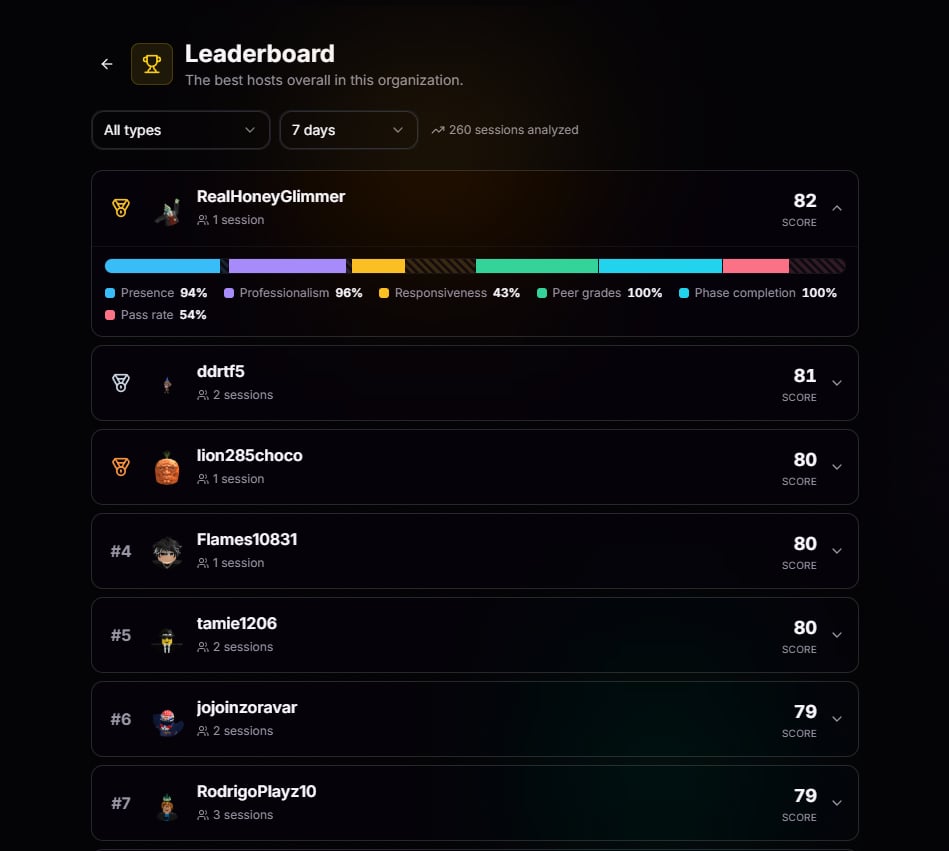 Slice by session type, timeframe, host, and more. Answer any question in a couple of clicks.
See who's carrying the load this week, this month, or over the past several months.
Track attendance, hosting activity, and growth over time to see how each host is performing.
Reward the hosts putting in the work with data you can point to.
## Reviewing Completed Sessions
Once a session wraps, staff get the full picture. Not just "who showed up," but what actually happened.
Slice by session type, timeframe, host, and more. Answer any question in a couple of clicks.
See who's carrying the load this week, this month, or over the past several months.
Track attendance, hosting activity, and growth over time to see how each host is performing.
Reward the hosts putting in the work with data you can point to.
## Reviewing Completed Sessions
Once a session wraps, staff get the full picture. Not just "who showed up," but what actually happened.
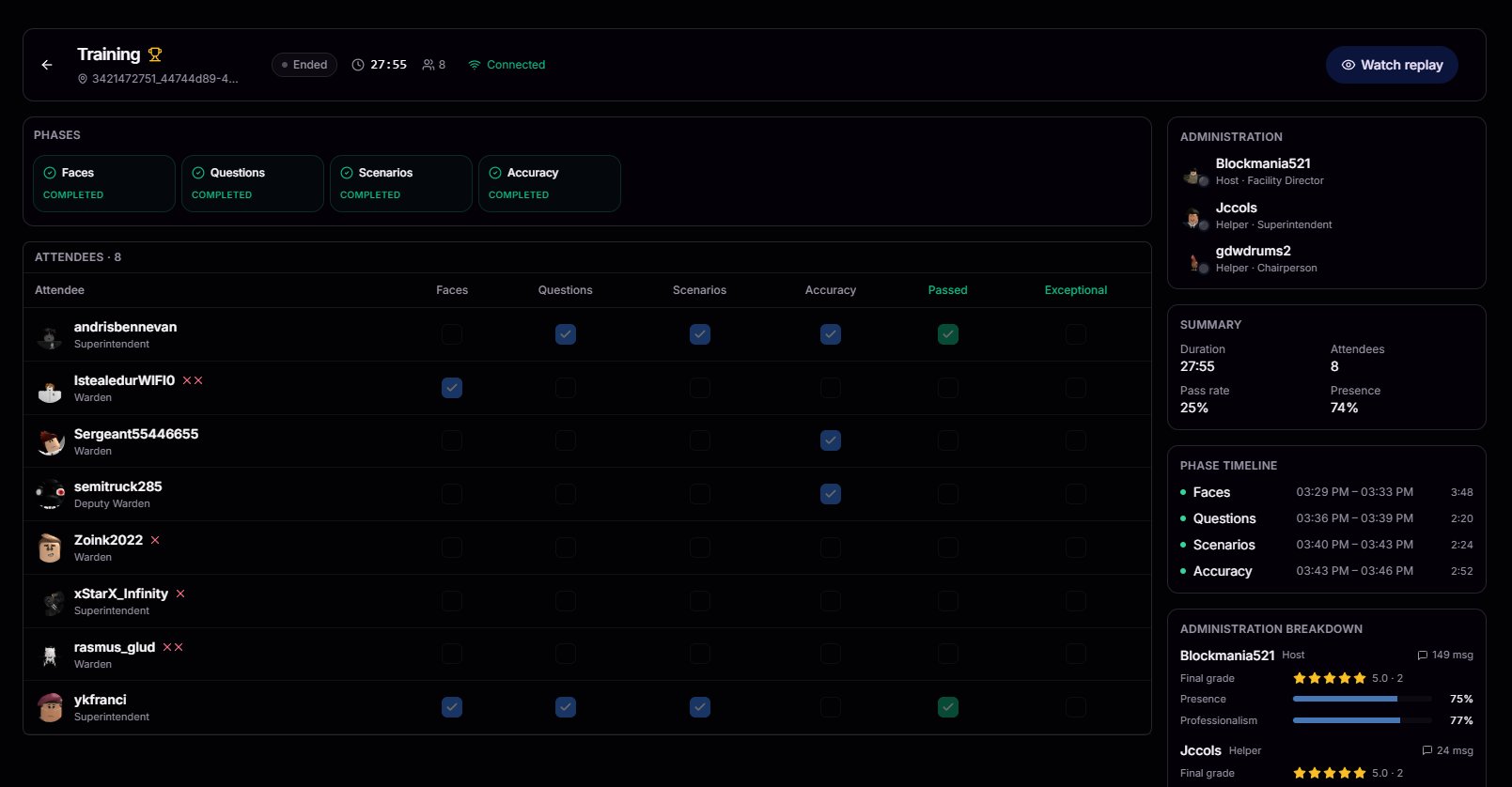 Every attendee, when they joined, when they left, and how long they stuck around.
Who actually engaged versus who just stood in the corner.
In-game movement, actions, and events tied back to each participant.
Receive feedback based on what actually happened during the session.
## [BloxCord Replay](/player-audit/replay)
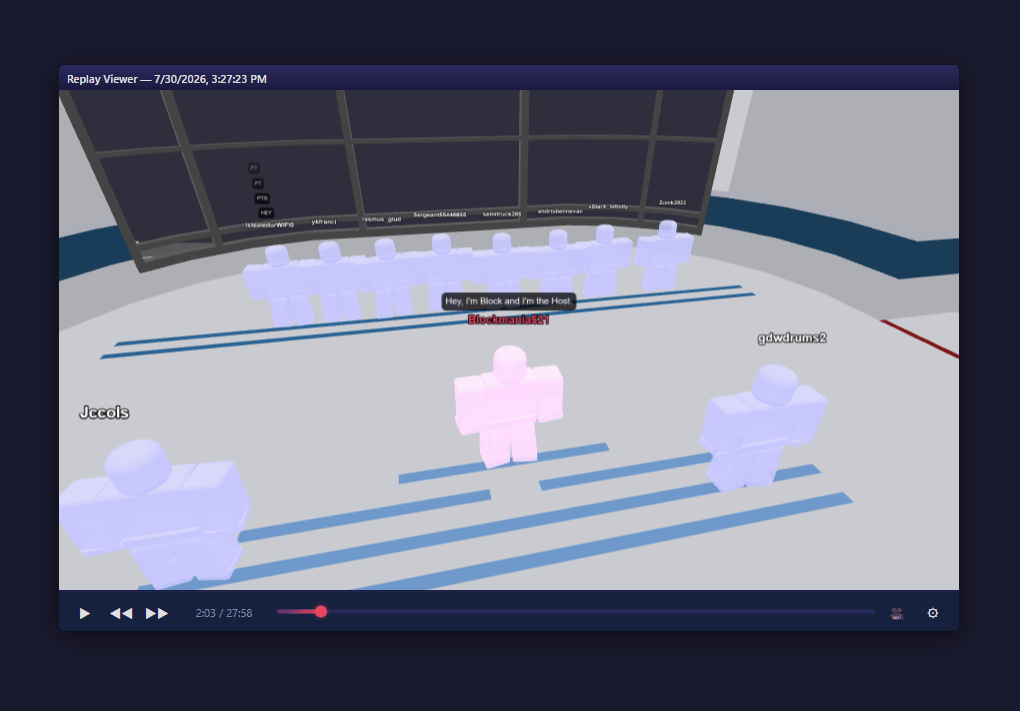
Most platforms stop at logs. BloxCord doesn't. Replay lets your staff step back into any completed session and watch it unfold exactly as it happened. Review host performance, uncover opportunities for improvement, and help every host grow using what actually happened during the session.
BloxCord Replay Systems must be enabled before you can view or use replay data. Visit the Features tab to get started.
Every attendee, when they joined, when they left, and how long they stuck around.
Who actually engaged versus who just stood in the corner.
In-game movement, actions, and events tied back to each participant.
Receive feedback based on what actually happened during the session.
## [BloxCord Replay](/player-audit/replay)
Most platforms stop at logs. BloxCord doesn't. Replay lets your staff step back into any completed session and watch it unfold exactly as it happened. Review host performance, uncover opportunities for improvement, and help every host grow using what actually happened during the session.
BloxCord Replay Systems must be enabled before you can view or use replay data. Visit the Features tab to get started.