> ## Documentation Index
> Fetch the complete documentation index at: https://docs.bloxcord.net/llms.txt
> Use this file to discover all available pages before exploring further.
# Features
> Enable only what your organization needs. Toggle any of BloxCord's 28 features on or off with a single click. Some features go even further, letting you configure permissions, customize their behavior, or limit access to specific roles or members, so every feature works exactly the way you want it to.
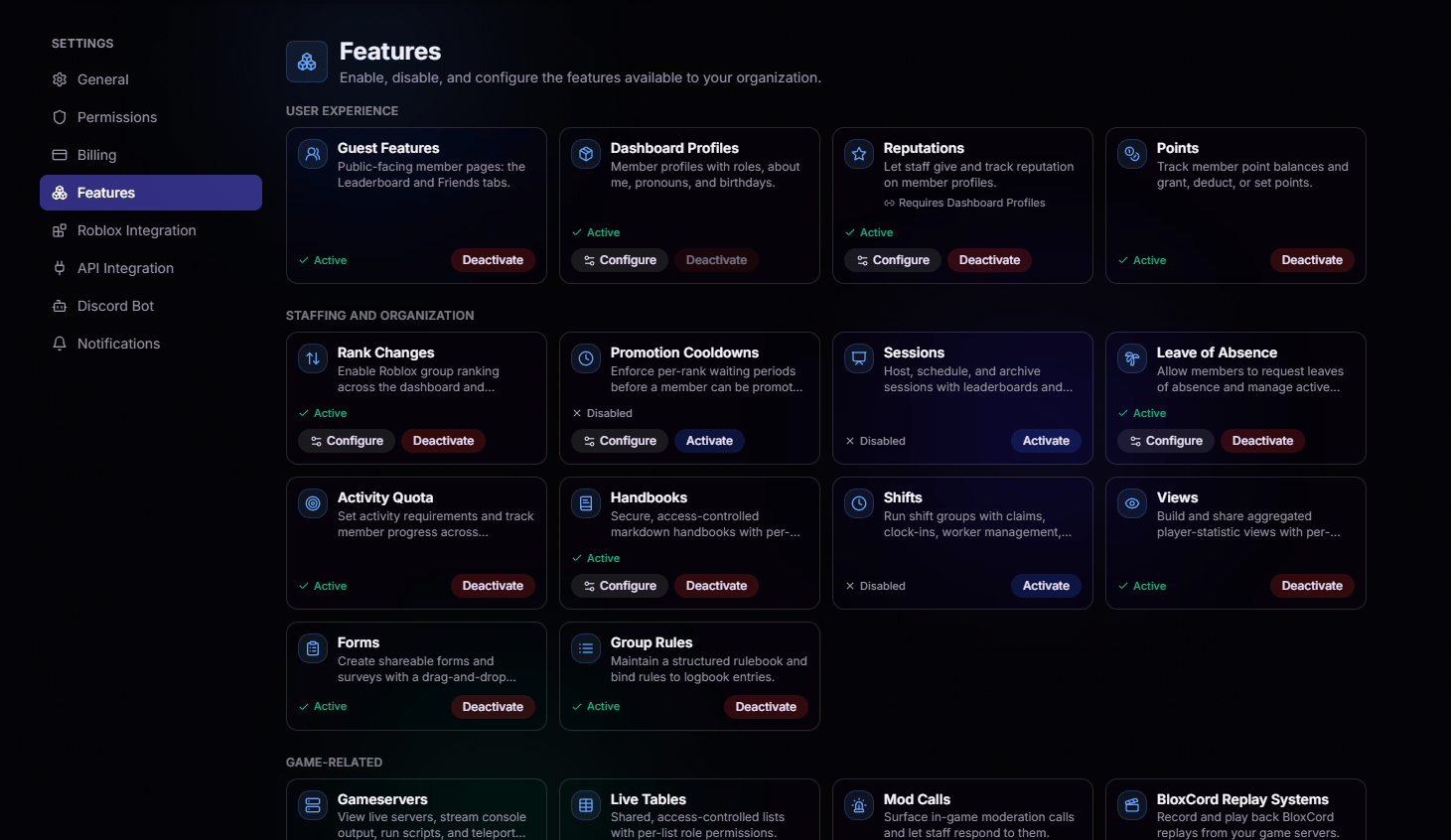 Turn a feature on to make it available across your organization.
Fine-tune the feature, toggle sub-permissions, or scope it to specific roles and members.
Turn it off anytime. Your configuration is preserved for when you turn it back on.
Features are organized by category such as User Experience, Staffing & Organization, Game Management, and more, making it easy to find exactly what you're looking for.
Turn a feature on to make it available across your organization.
Fine-tune the feature, toggle sub-permissions, or scope it to specific roles and members.
Turn it off anytime. Your configuration is preserved for when you turn it back on.
Features are organized by category such as User Experience, Staffing & Organization, Game Management, and more, making it easy to find exactly what you're looking for.