> ## Documentation Index
> Fetch the complete documentation index at: https://docs.bloxcord.net/llms.txt
> Use this file to discover all available pages before exploring further.
# Shifts
> Shifts keeps your organization running on time. Schedule shifts, claim openings, clock in and out, and keep every hour accounted for, all from one place.
Shifts must be enabled before shift data can be tracked and displayed. Visit the Features tab to get started.
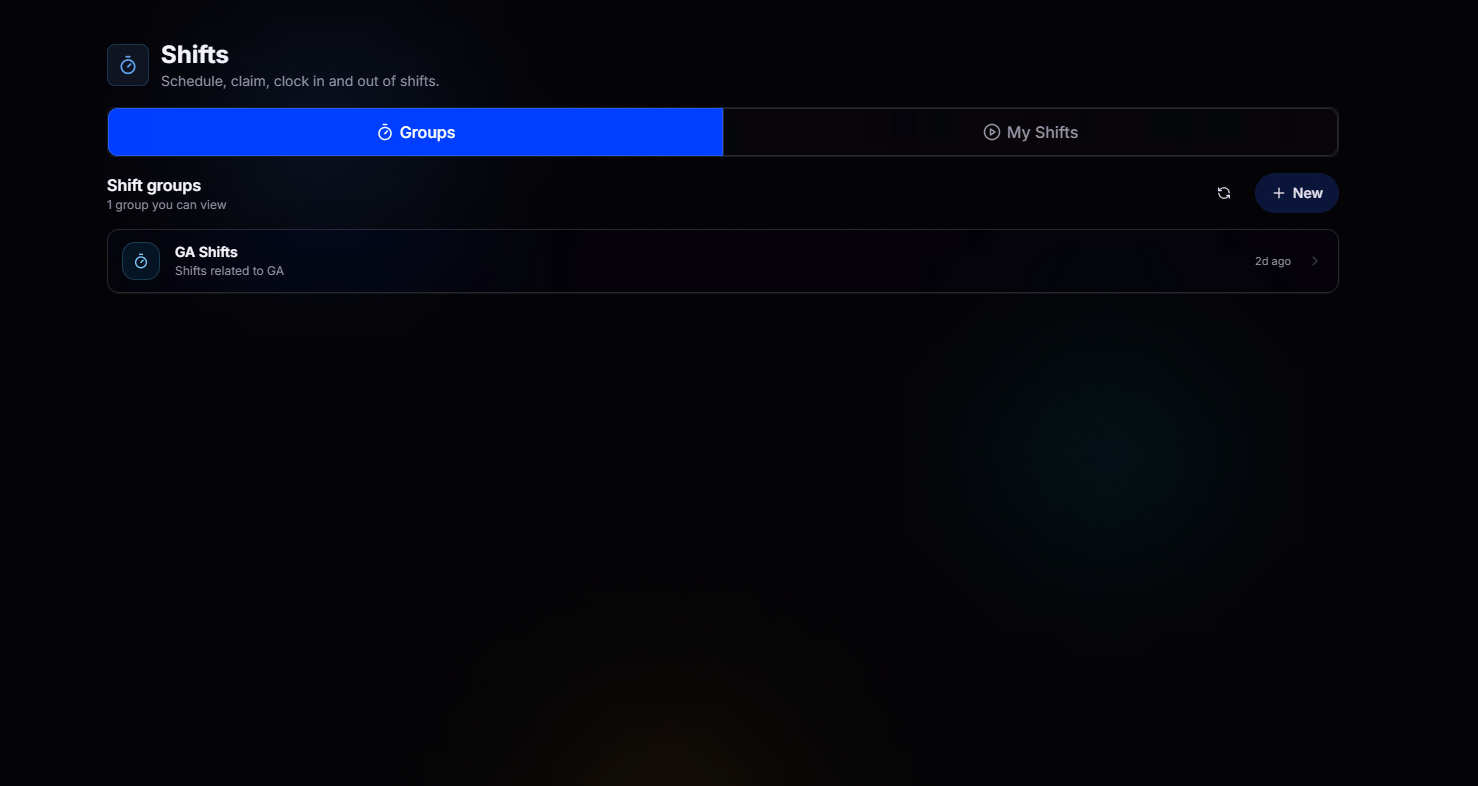 Start on the **Groups** tab to see every shift group you have access to. Pick a group to view its schedule, or jump straight to **My Shifts** to focus on your own.
All the shift groups you can view sit right here, whether it's your department, a specialized unit, or organization-wide coverage.
With the right permissions, launch a brand new shift group in seconds with the **New** button.
## Your Personal Schedule
**My Shifts** gives you a complete view of your schedule. Keep track of your upcoming shifts, claimed shifts, and shift history, all in one place.
Start on the **Groups** tab to see every shift group you have access to. Pick a group to view its schedule, or jump straight to **My Shifts** to focus on your own.
All the shift groups you can view sit right here, whether it's your department, a specialized unit, or organization-wide coverage.
With the right permissions, launch a brand new shift group in seconds with the **New** button.
## Your Personal Schedule
**My Shifts** gives you a complete view of your schedule. Keep track of your upcoming shifts, claimed shifts, and shift history, all in one place.
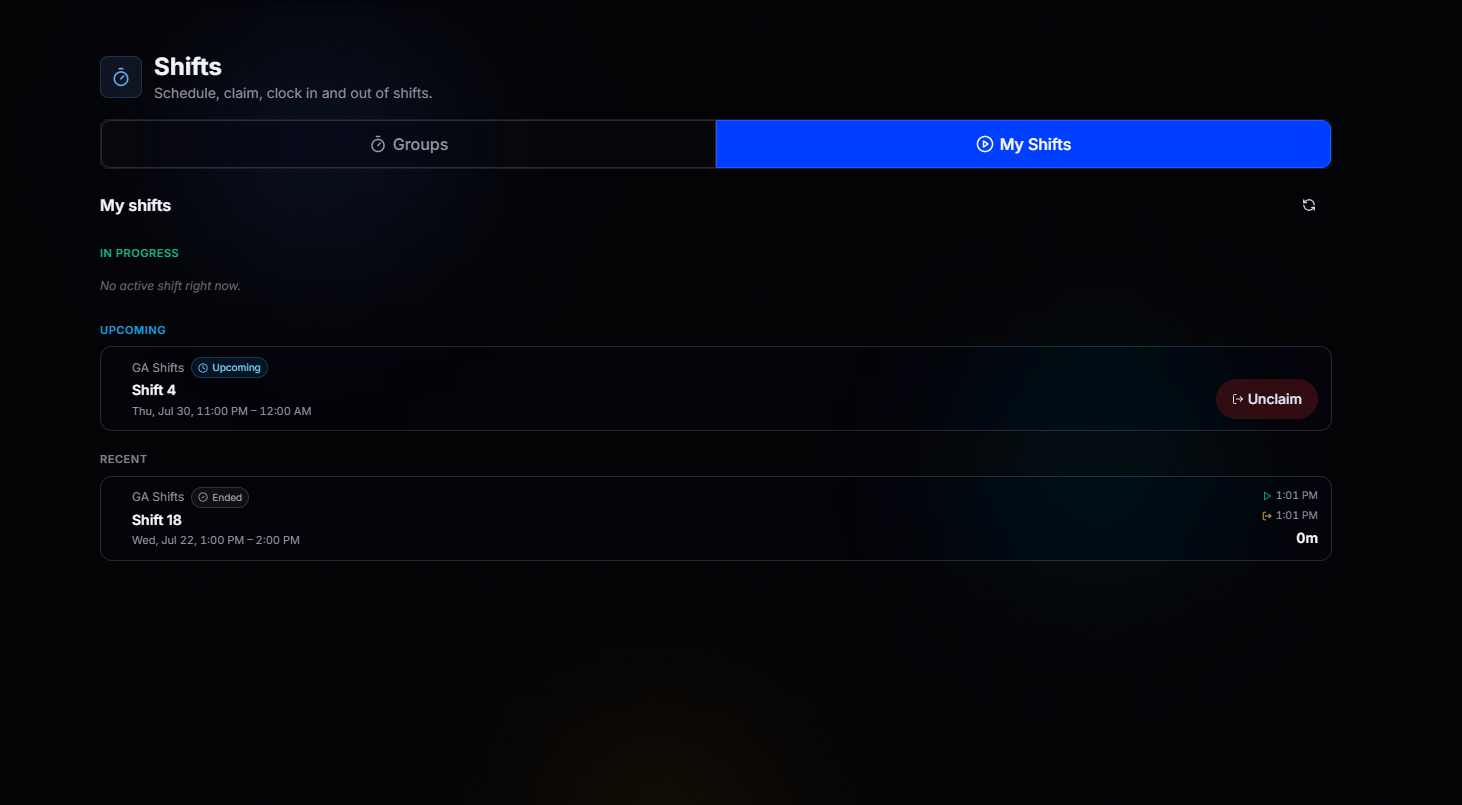 See your active shift the moment you clock in, so you always know the clock is running.
Every shift you've claimed, ready when you are. **Unclaim** or request coverage in a single click if plans change.
Your full history at a glance. Review past shifts, times worked, and total durations.
## Inside a Shift Group
Open any group to view its full schedule. See every upcoming shift, who's already claimed one, and which openings are still available.
See your active shift the moment you clock in, so you always know the clock is running.
Every shift you've claimed, ready when you are. **Unclaim** or request coverage in a single click if plans change.
Your full history at a glance. Review past shifts, times worked, and total durations.
## Inside a Shift Group
Open any group to view its full schedule. See every upcoming shift, who's already claimed one, and which openings are still available.
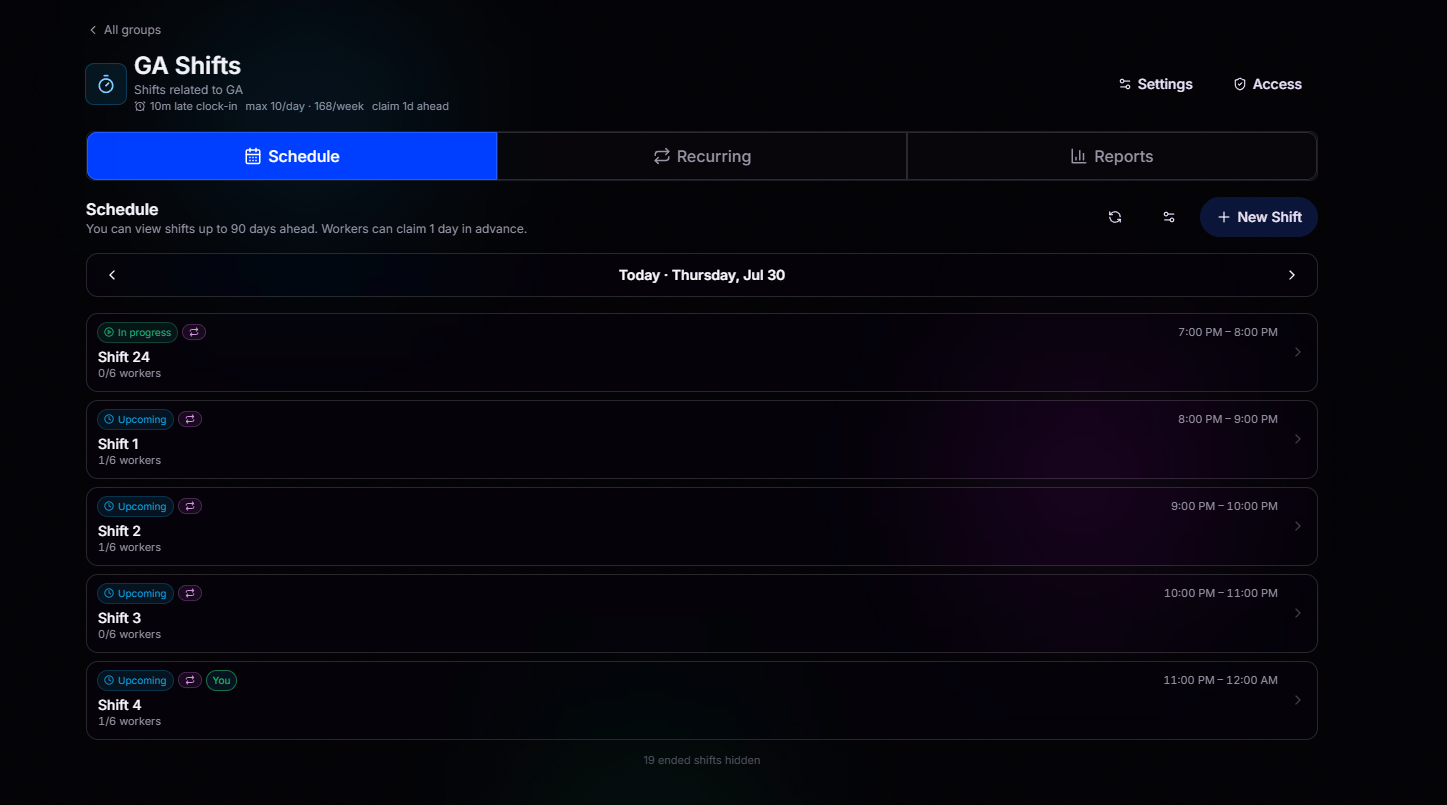 Claim any available shift in seconds. Live capacity counters show exactly how many spots remain before a shift fills up.
Select a shift to view everyone who's on it. The full roster is always available before your shift begins.
Members with the appropriate permissions can cancel any shift when plans change, keeping schedules accurate and everyone informed.
**In progress**, **Upcoming**, and **You** tags make it obvious what's live, what's next, and what's yours.
Claim any available shift in seconds. Live capacity counters show exactly how many spots remain before a shift fills up.
Select a shift to view everyone who's on it. The full roster is always available before your shift begins.
Members with the appropriate permissions can cancel any shift when plans change, keeping schedules accurate and everyone informed.
**In progress**, **Upcoming**, and **You** tags make it obvious what's live, what's next, and what's yours.