

Before You Start
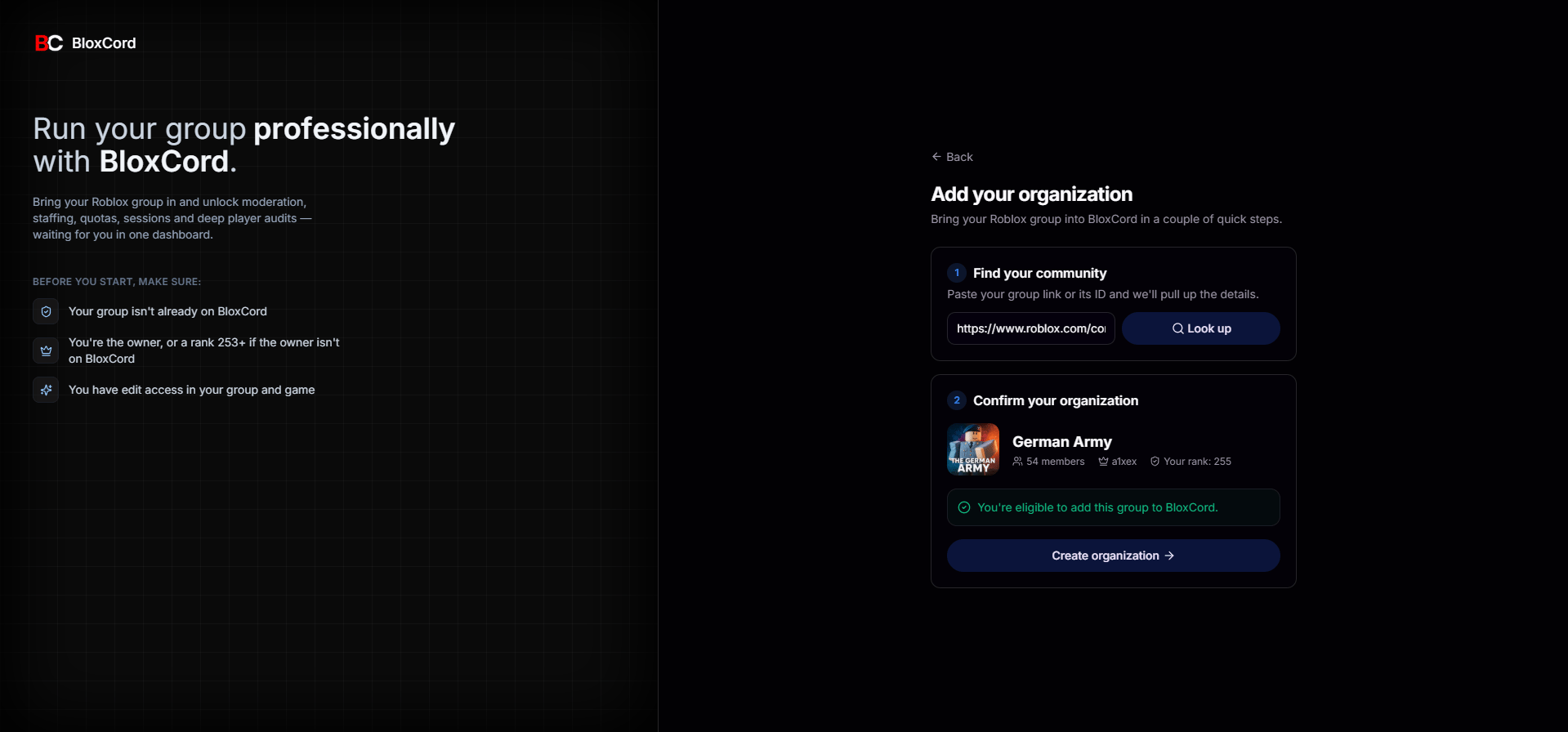
To prevent unauthorized users from claiming a community, we run a few eligibility checks before letting you create an organization.Rank 253 or Above
Your rank in the Roblox group must be ID 253 or higher.
Not Already on BloxCord
The community can’t already exist as an organization on BloxCord.
If an unauthorized user has created an organization for your community, please contact us, preferably through our Discord server, and our team will assist you. We may ask for additional information to verify that you are the rightful owner of the Roblox community.
The Four-Step Setup
After you claim the community, we walk you through four quick steps before opening up your dashboard.Upload your Roblox Cloud API key
Head to the Roblox Creator Hub and create an API key under your user.BloxCord guides you through the exact permissions to enable so we only request what we need, nothing more.
Install BloxCord in your game
Next we make sure the BloxCord SDK is installed in your experience. Most of the time it isn’t yet, so we walk you through it.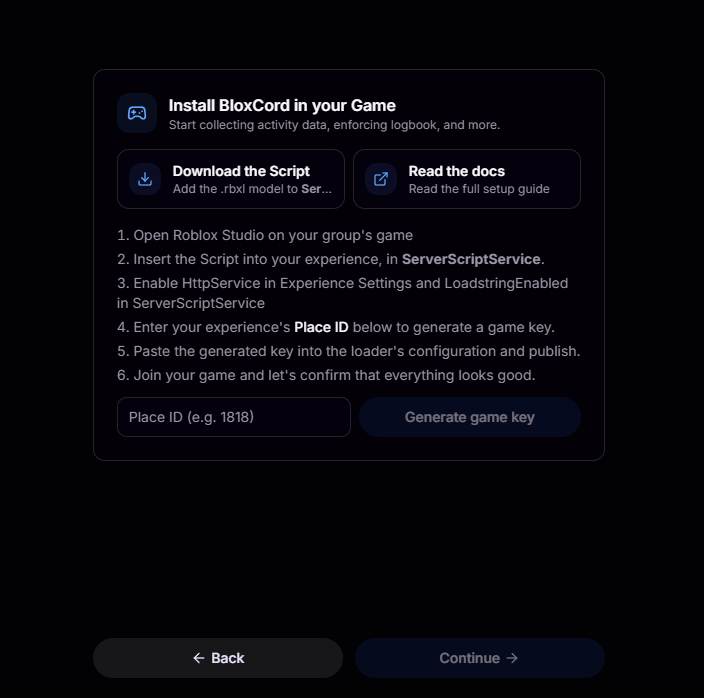
ServerScriptService, and enable HttpService and LoadstringEnabled.Enter your Place ID
Your Place ID is the number in your game’s URL. For example, in
https://www.roblox.com/games/3421472751/Stateview-Prison, the Place ID is 3421472751.Join your game
To verify the connection, join your game and ensure it has been published. Restart your server to ensure you’re running the latest version, then join the game. It may take a few moments for BloxCord to detect the connection.
Need a hand?
If anything goes sideways during setup, we’re here to help.Reach out to our team directly.
Discord Server
Get real-time help from the community and our staff.