

Gameservers and Mod Calls must be enabled before moderation calls can be received or managed. Visit the Features tab to get started.
ModCalls must be connected to an in-game command or system that players can use to request a moderator. Use the BloxCord API to trigger ModCalls from your game, as outlined in the Moderation reference.
Player Runs the Command
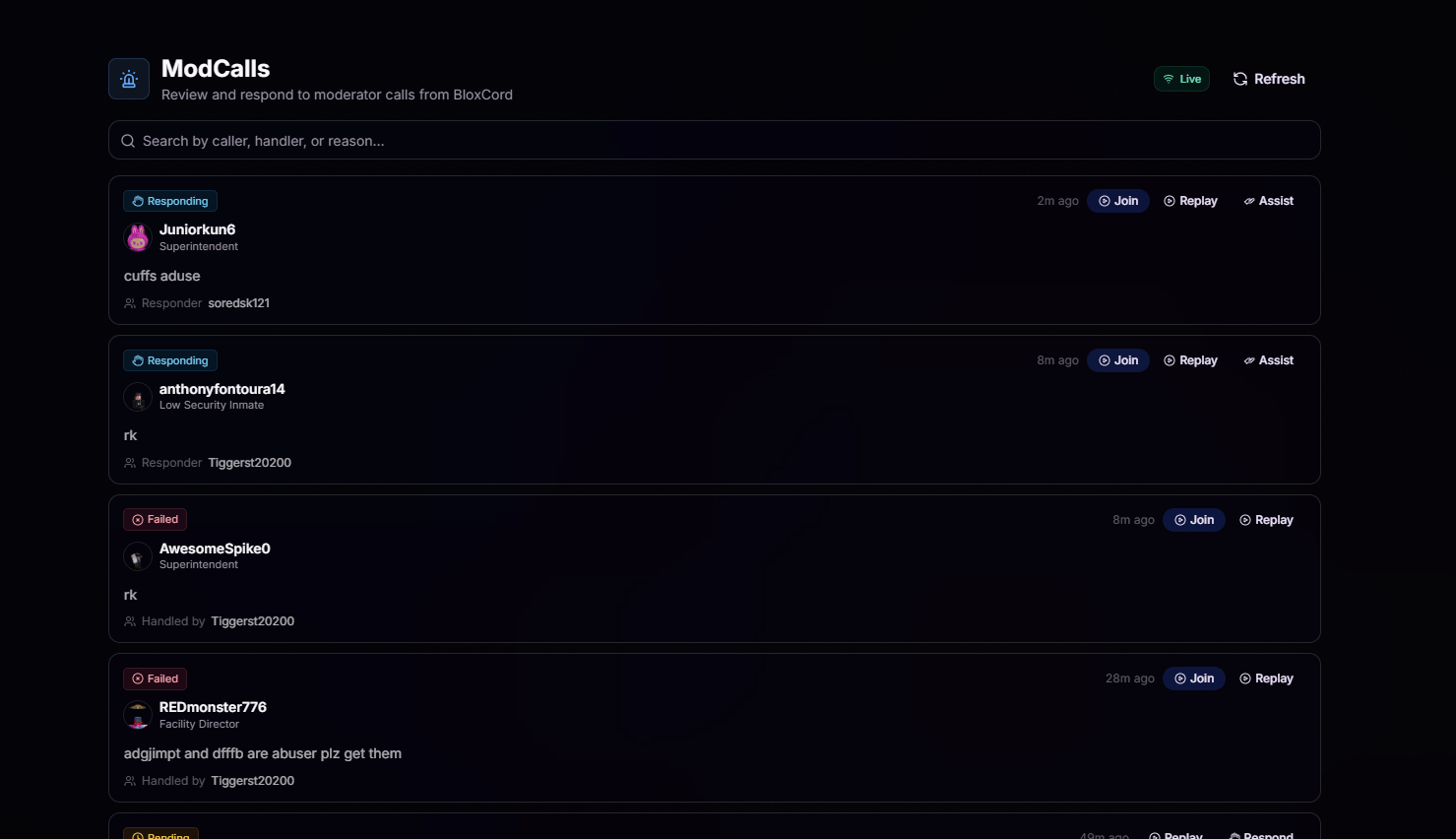
Members trigger a modcall in-game using the command you set up. A reason is attached so your team knows what they are walking into.
Team Gets Notified
The call appears on the ModCalls tab live and (optionally) pings your Discord through a webhook so nobody misses it.
Respond or Assist
Authorized users can claim the call as the responder or join as an assistant. One click, no coordinating in DMs.
Replay in One Click
Every call is tied to a session replay. Jump straight into the moment it was made to see exactly what happened.
Mod Call Details
Click any call to view its details, review what happened, respond or join as an assistant, and track its current status.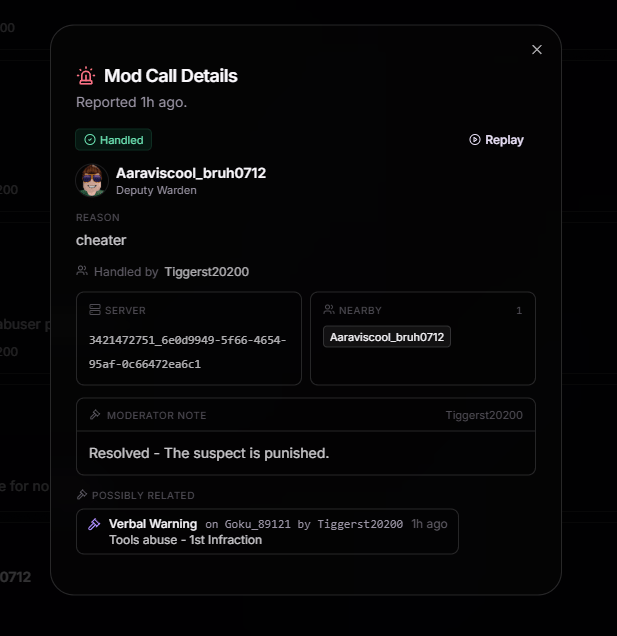
Caller & Reason
See who made the call, their rank, and the reason they submitted, no guessing.
Server & Nearby Users
The exact server ID plus a list of players nearby so you know where to go and who to ask.
Moderator Note
Log the resolution or add context for the rest of the team once the call is handled.
Possibly Related
Recent infractions or actions tied to the caller or involved users, surfaced automatically.
Settings
Head to ModCall Settings to customize how calls are submitted, routed, and managed across your organization.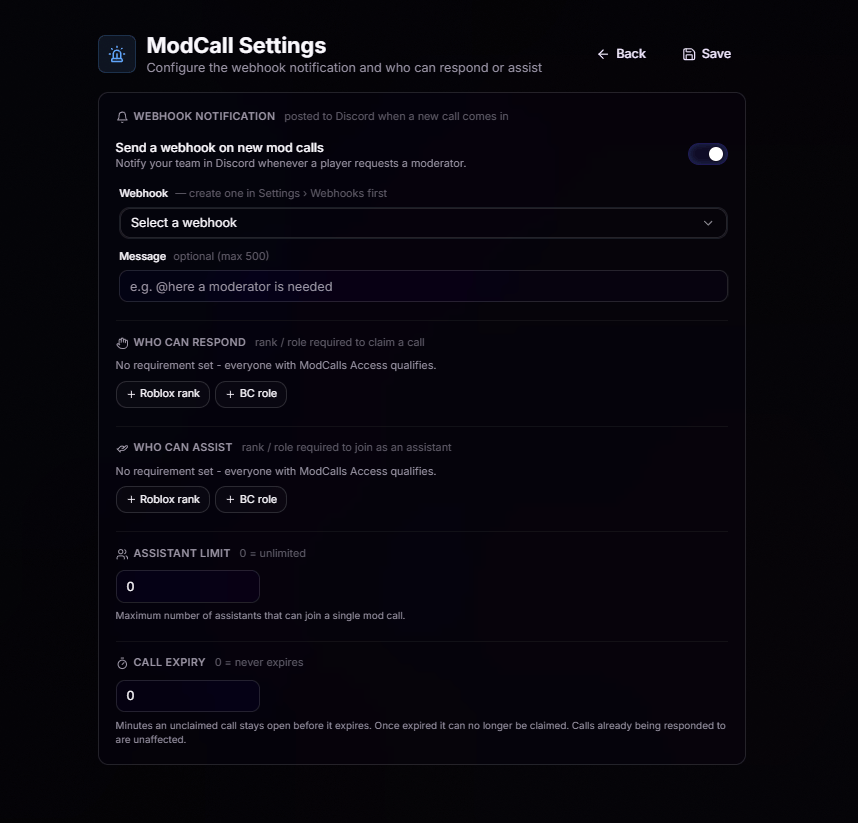
Webhook Notification
Webhook Notification
Toggle Send a webhook on new mod calls to notify your team in Discord whenever a player requests a moderator.
- Webhook: Pick from the webhooks you’ve created in Settings › Webhooks.
- Message (optional, max 500 chars): Add a custom message like
@here a moderator is neededto make sure the right people see it.
Who Can Respond
Who Can Respond
Choose who can claim ModCalls. Leave this empty to allow anyone with ModCalls Access to claim calls, or require a specific Roblox rank or BloxCord role so only designated staff can take ownership.
Who Can Assist
Who Can Assist
Choose who can join a ModCall as an assistant. Leave this empty to allow anyone with ModCalls Access to assist, or require a specific Roblox rank or BloxCord role so only designated staff can join.
Assistant Limit
Assistant Limit
Set how many assistants can join a single ModCall. Use
0 for no limit, or set a maximum to keep responses focused and avoid overcrowding.Call Expiry
Call Expiry
Set how many minutes an unclaimed ModCall remains open before it expires. Use
0 to disable expiration. Expired calls can no longer be claimed, but calls that have already been claimed are unaffected.