

Activity Quotas must be enabled before quota progress and statistics can be displayed. Visit the Features tab to get started.
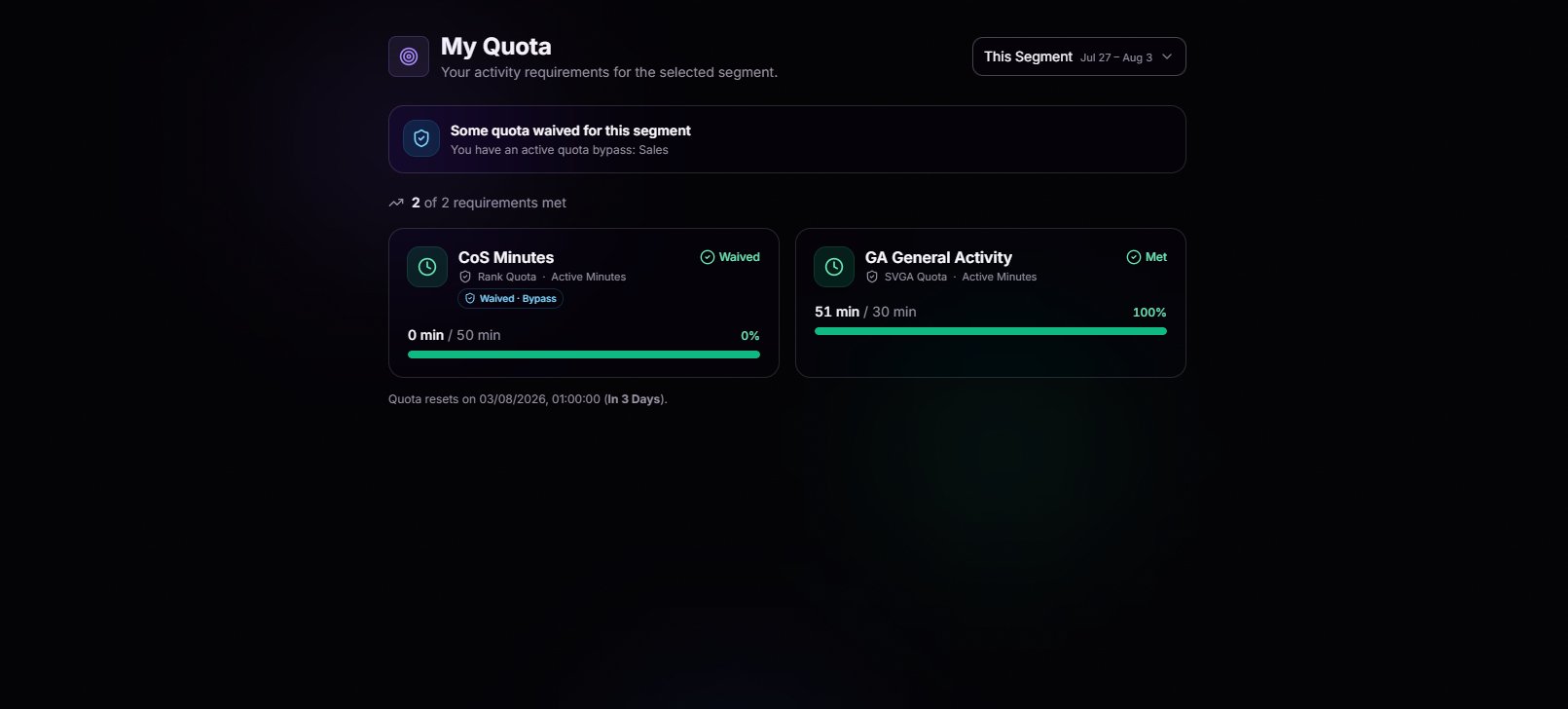
Rank Quota
The baseline your rank is expected to meet. Active minutes, sessions, or whatever your group defines. Always visible, always current.
Hosting Quota
Training hosts, shift hosts, event hosts. If your role requires you to run things, this is where you’ll see it tracked.
Department Quota
Belong to a special department? Your department’s unique requirements show up here right next to everything else, no extra clicks.
Waived Requirements Flagged
Requirements that have been waived or bypassed are clearly labeled, making it easy to see which ones no longer count against you.
Explore Past Segments
Need to review a previous segment? Use the segment filter in the top right to jump back in time and see exactly where you stood. Every requirement, logged minute, and approved bypass is preserved for a complete history.Pick Any Segment
Jump between “This Segment” and any past window with a single dropdown. Great for reviewing where you fell short so it doesn’t happen twice.
Historical Record
Each segment preserves its progress, totals, and quota requirements, so your history stays accurate even if your quotas changes later.
Segment Reset
Never lose track of a deadline. The footer beneath your requirements shows exactly when the current segment resets and how much time remains, so you always know how long you have left.Set the Standard
Quotas aren’t just something members complete, they’re something your leadership defines. Members with the appropriate organization permissions can configure rank, department, and hosting quotas, giving your organization complete control over what it means to stay active.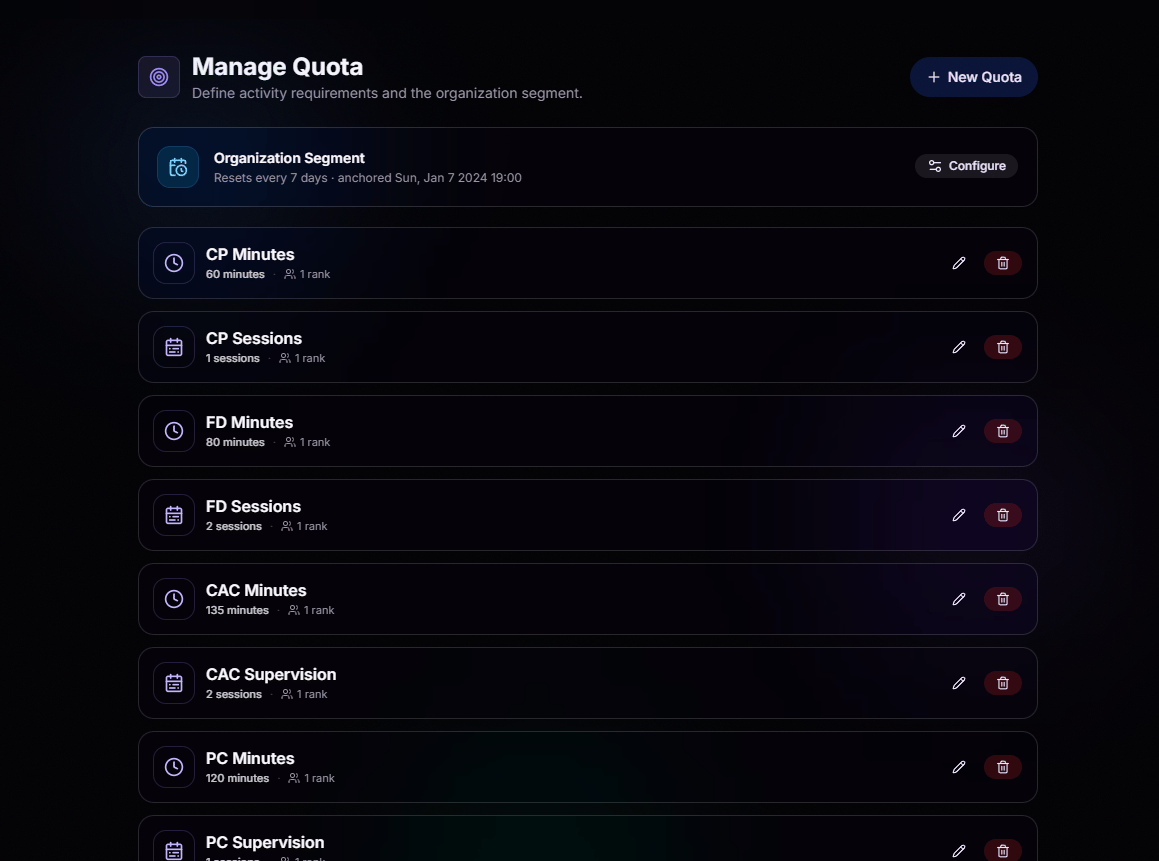
Edit or Delete in One Click
Requirements change over time. Update thresholds, rename quotas, or delete ones you no longer need, all without leaving BloxCord.
Configure Organization Segments
Define one quota schedule for your entire organization. Set weekly, biweekly, or monthly resets and choose the anchor date that works best for your team.
Built Around Your Organization
Create custom quotas for any part of your organization. Choose what to track, set the requirement, and assign it to one or more ranks, departments, or BloxCord roles.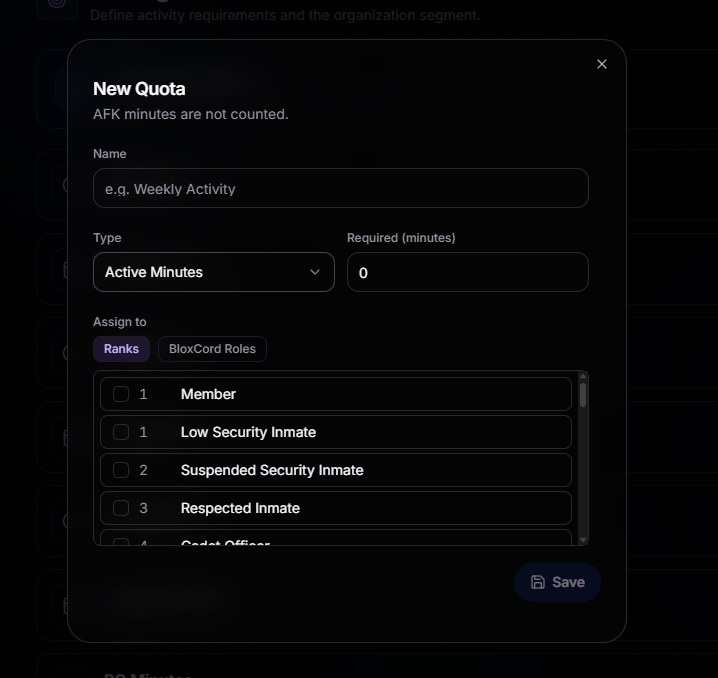
Start with the Basics
Give your quota a clear name, choose what to measure, and set the required amount. Members automatically see the updated requirements as soon as you save.
Assign with Precision
Assign quotas by rank, department, or BloxCord role. Multi-select support lets you apply a single requirement to multiple groups without creating duplicate quotas.
AFK-Aware by Default
AFK time is automatically excluded from activity tracking, ensuring members are only credited for time they’re actively participating.
Your Organization, Your Rules
Whether you measure active minutes, sessions, hosting, messages, punishments, or something entirely unique, BloxCord lets you build a quota system around what matters to your organization.
Grant Bypasses in One Click
When a member shouldn’t be held to a requirement, simply waive it. No manual tracking or messy spreadsheets required.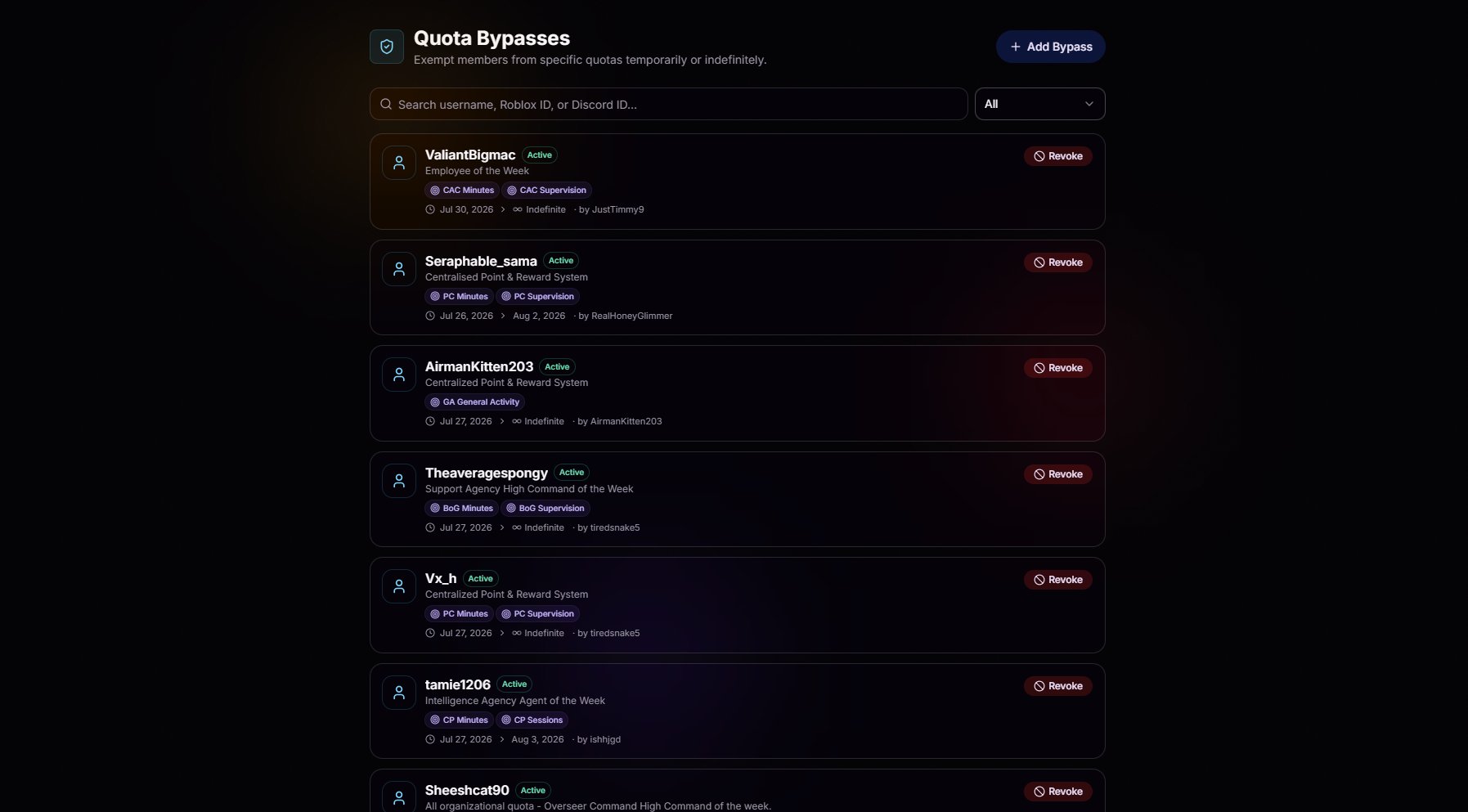
Excuse Anyone in Seconds
Hit Add Bypass, pick a member, and they’re excused. No forms to fill out, no approvals to chase, no manual tracking. Just a clean way to say “you’re covered.”
Temporary or Permanent
Grant a bypass for a set window with start and end dates, or make it indefinite for permanent exemptions like retired members or special roles.
Pick Exactly What's Excused
Bypass one quota, several, or all of them. Full control, per member.
Revoke Just as Fast
Changed your mind or the situation changed? Revoke any bypass with one click and the member is back on the standard immediately.