

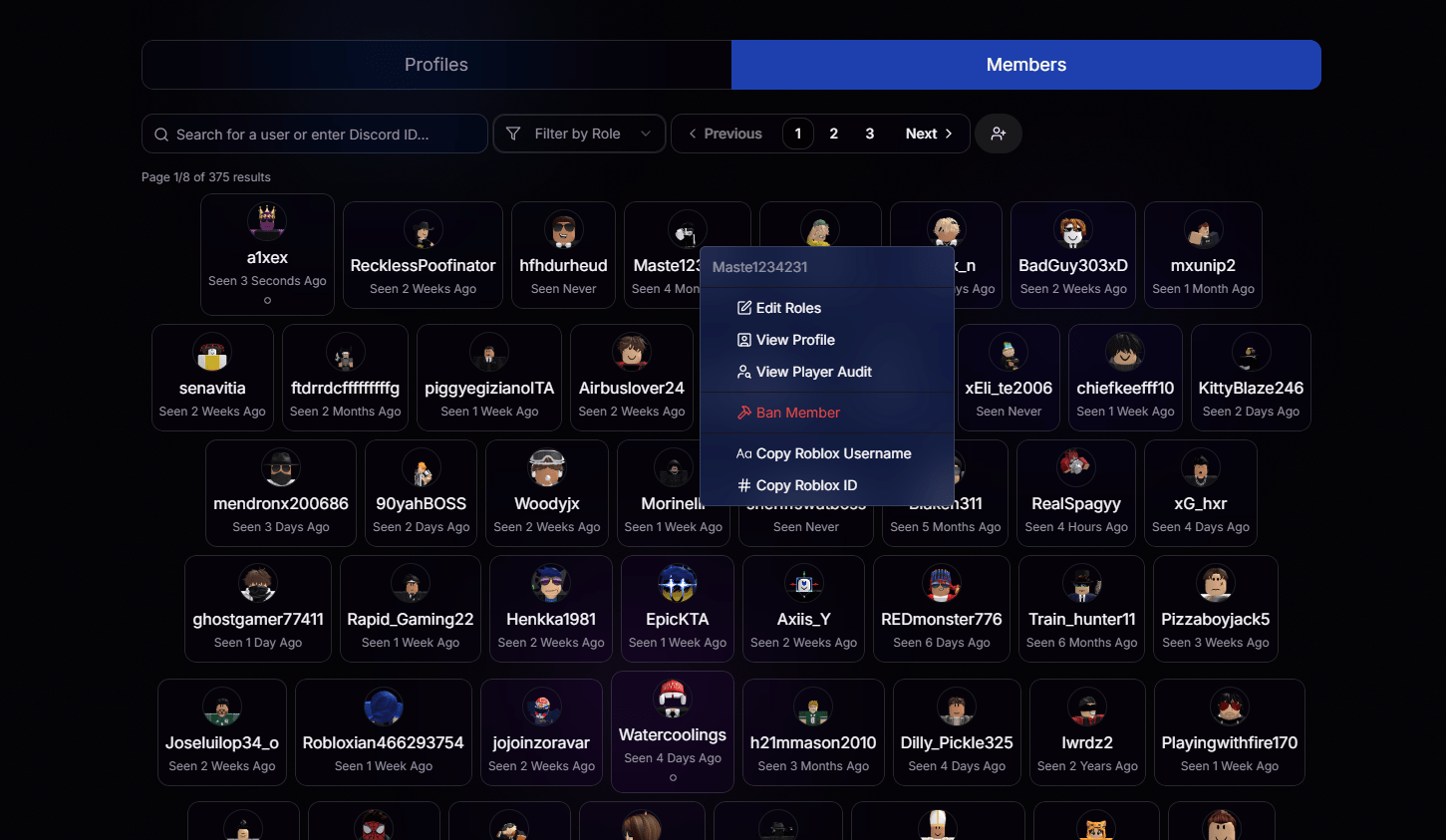
Search
Type a username or paste a Discord ID to instantly narrow down the list.
Filter by Role
Only see members with a specific role, perfect for staff-only views.
Paginated Results
Every member in your organization is loaded and browsable, page by page.
Last Seen
See at a glance when each member was last active.
Right-Click to Take Action
Right-click any member card to open the quick-action menu.Edit Roles
Update a member’s roles without leaving the page.
View Profile
Jump straight to their full dashboard profile.
View Player Audit
Pull up their full Player Audit in one click.
Ban Member
Remove a member from your organization when needed.
Copy Roblox Username
Grab their exact username for pasting anywhere.
Copy Roblox ID
Copy their numeric Roblox ID in a single click.