

Webhooks must be enabled before webhook notifications can be sent or managed. Visit the Features tab to get started.
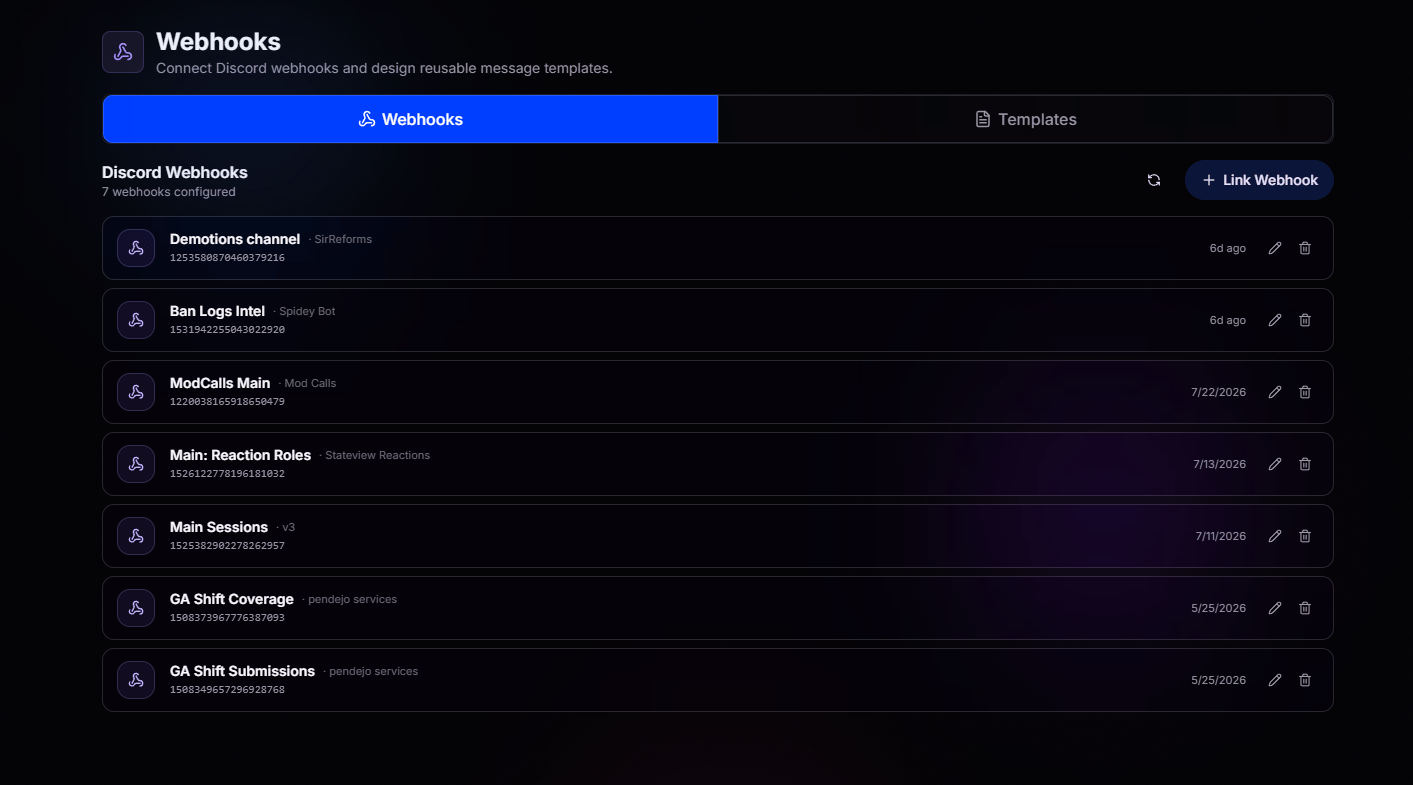
Reusable Templates, Zero Repeat Work
Why build the same message twice? Design a template once and reuse it anywhere in BloxCord. Create fully formatted Discord messages with embeds, colors, timestamps, variables, and more, then send them with a single click. Whether it’s a Shift Completion, Coverage Requested, or Session Notification, your templates are always ready to go.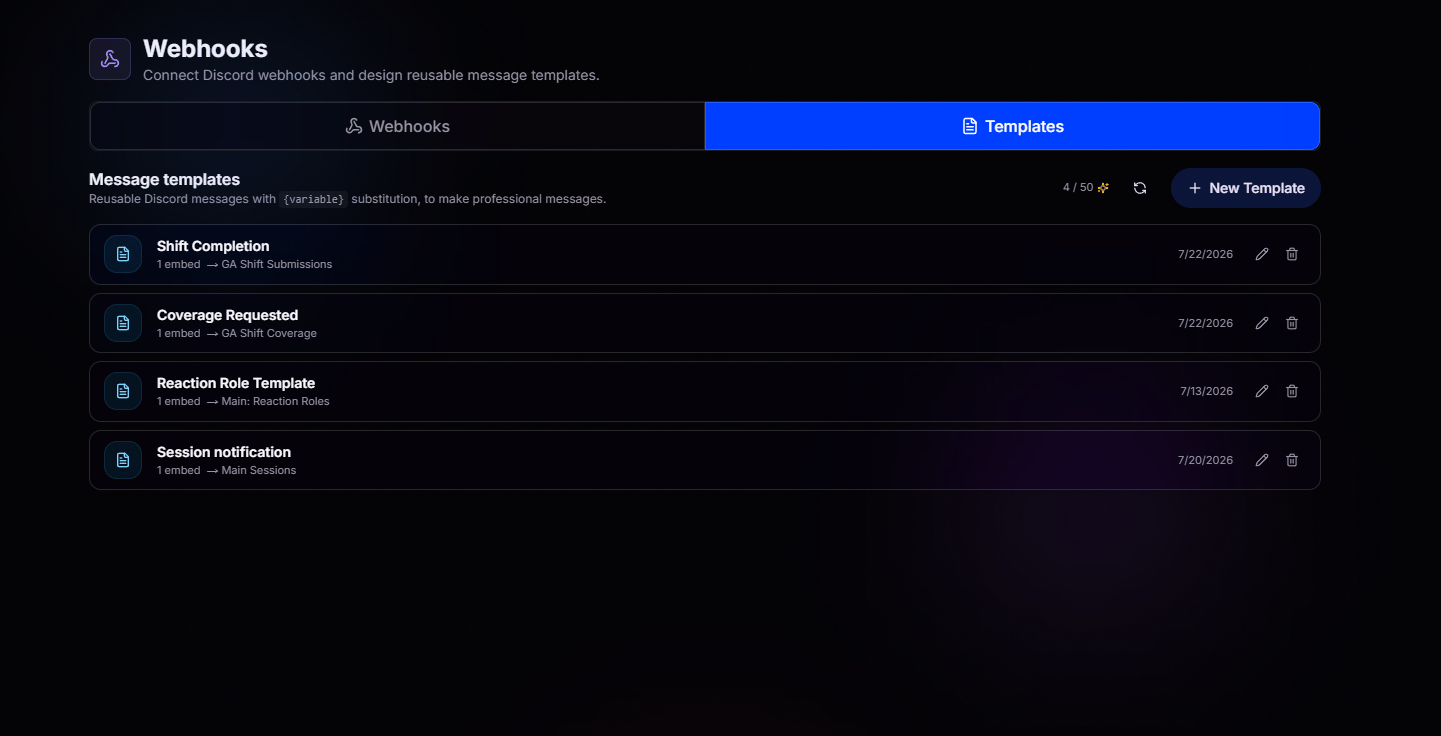
Craft It. Preview It. Ship It.
Create messages with confidence. Write your message, add up to 10 embeds, customize every detail, and watch a live preview update as you type. What you see is exactly what Discord receives.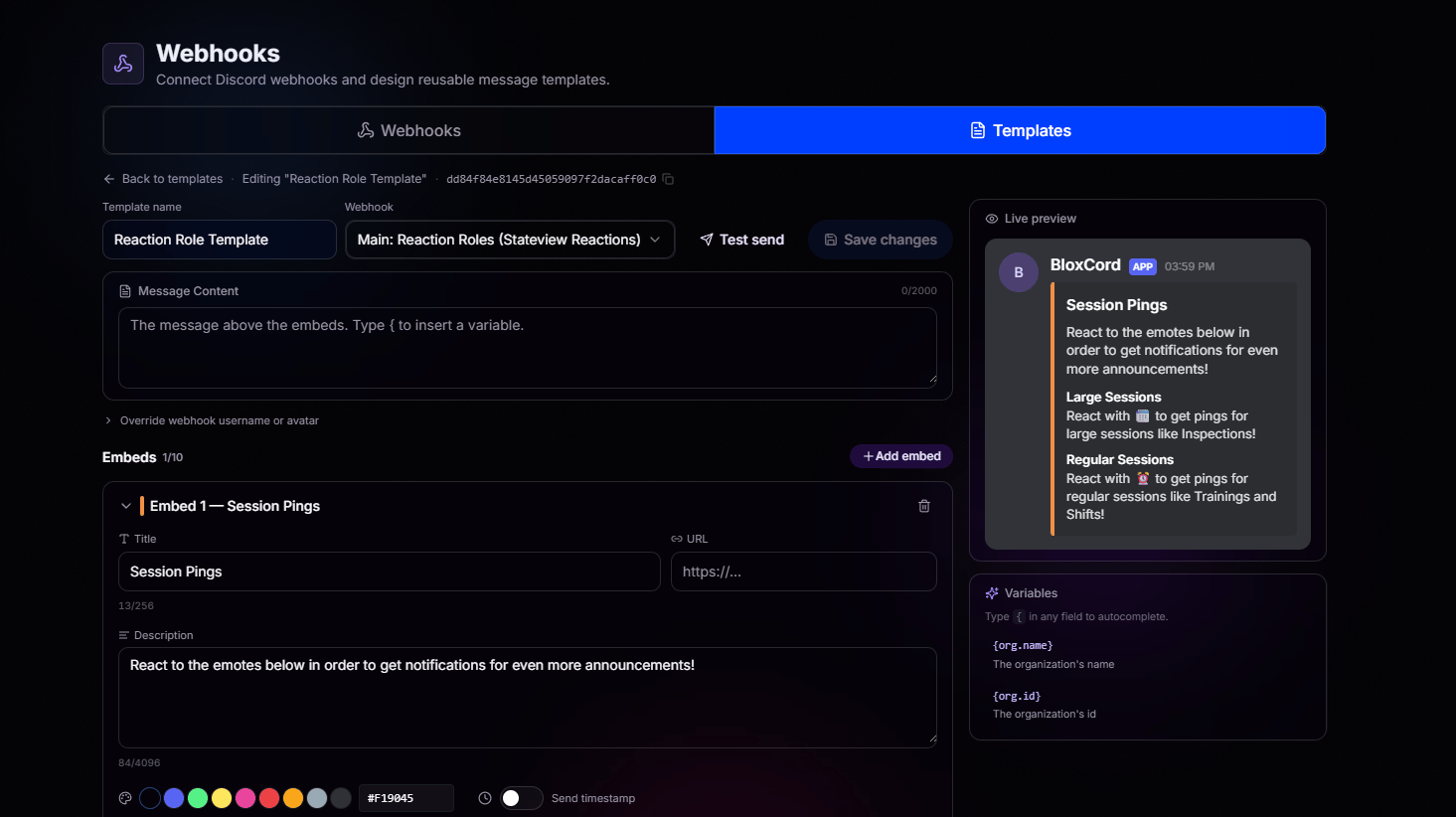
Rich Embeds
Titles, descriptions, colors, URLs, timestamps. Design embeds that actually look good.
Live Preview
See your message render in real time as you build it. No test sends required.
Custom Identity
Override the webhook’s username or avatar per template for extra polish.
Multiple Embeds
Stack up to 10 embeds in a single message for complex, structured notifications.
Variables That Do the Annoying Work
Need your messages to include live data? Variables let you automatically insert information into any message or embed, so you never have to type the same details twice. Whether it’s user information, shift details, session data, moderation records, or organization information, BloxCord fills everything in when the message is sent. Simply type{ in any field to browse available variables with autocomplete. Every variable includes a description, making it easy to find exactly what you need without memorizing names. Since variables are context-aware, you’ll only see the ones that are available for the template you’re editing.