

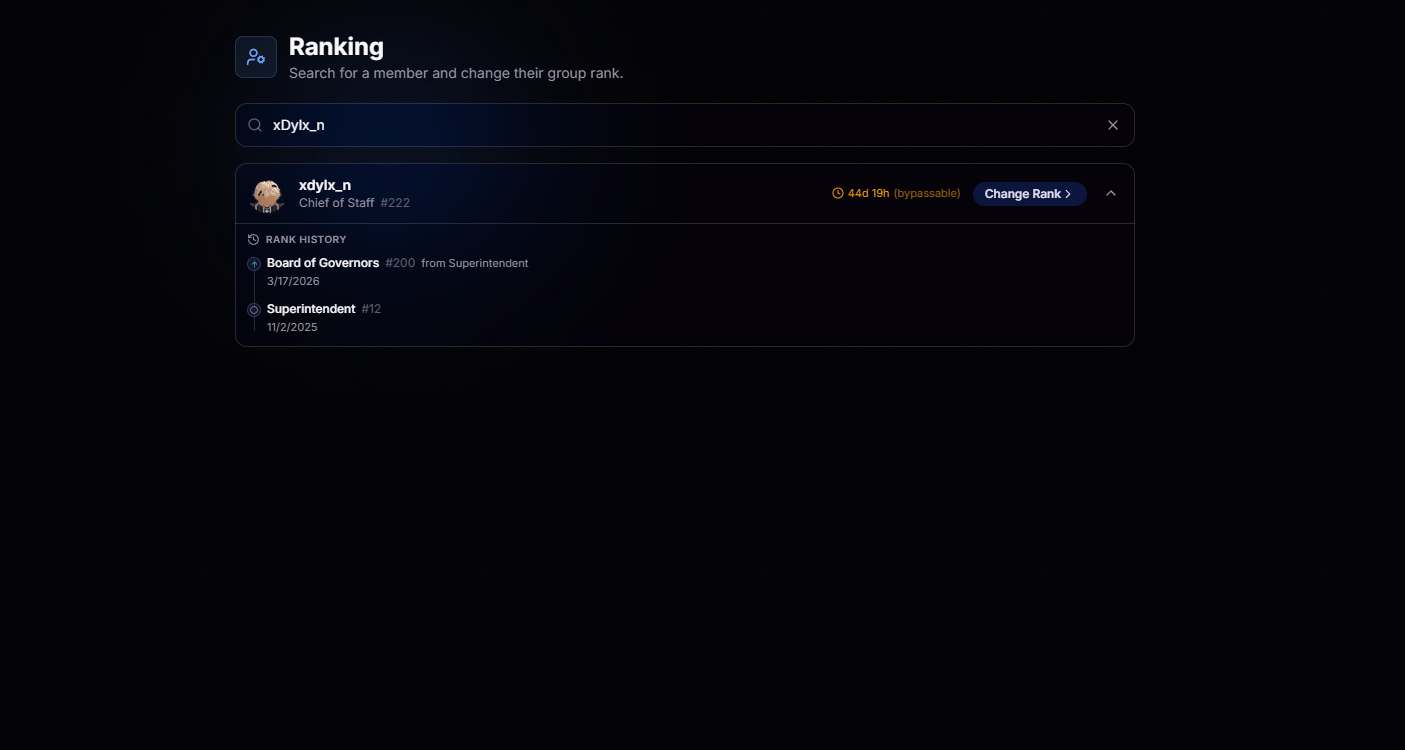
Simple Search
Type a username or Discord ID and the right member surfaces in seconds.
Full Context on Load
Rank, cooldown, and history load side by side, no extra clicks.
Cooldown at a Glance
See whether a member is on promotion cooldown, when it expires, and why before making a rank change. If your permissions allow it, you’ll also see whether the cooldown can be bypassed.
Recent Rank Changes
View a member’s complete rank history, including every previous rank and when each change occurred.
Change Rank
Click Change Rank to choose a new rank, provide an optional reason, and confirm the change. BloxCord updates your Roblox group instantly and automatically records the action for a complete audit trail.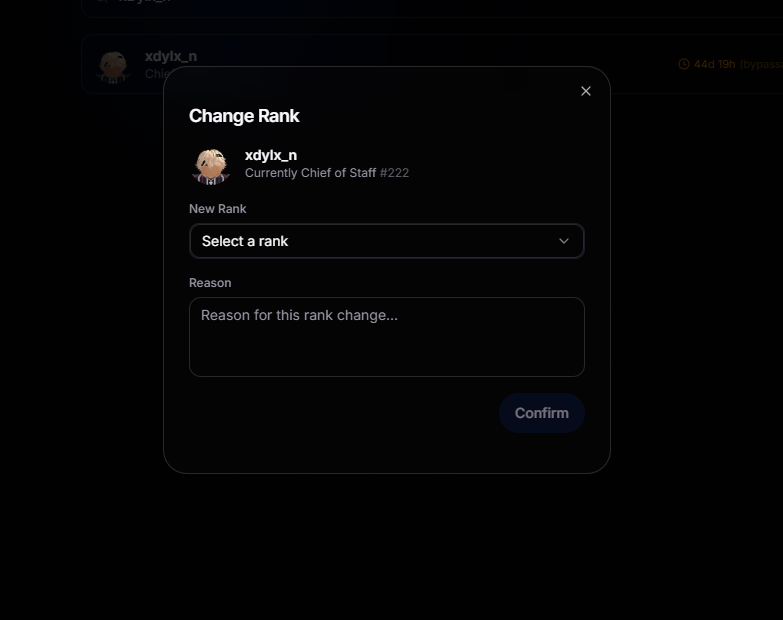
Instant Roblox Sync
Changes push straight to your group, no side trips required.
Reasons Required
Every rank action needs a reason, so the audit trail stays useful.
Automatic Logs
Every rank change is automatically recorded in the member’s history, giving you a complete record of their progression through your organization.
Cooldown-Aware
The system respects cooldowns by default, protecting you from mistakes.