

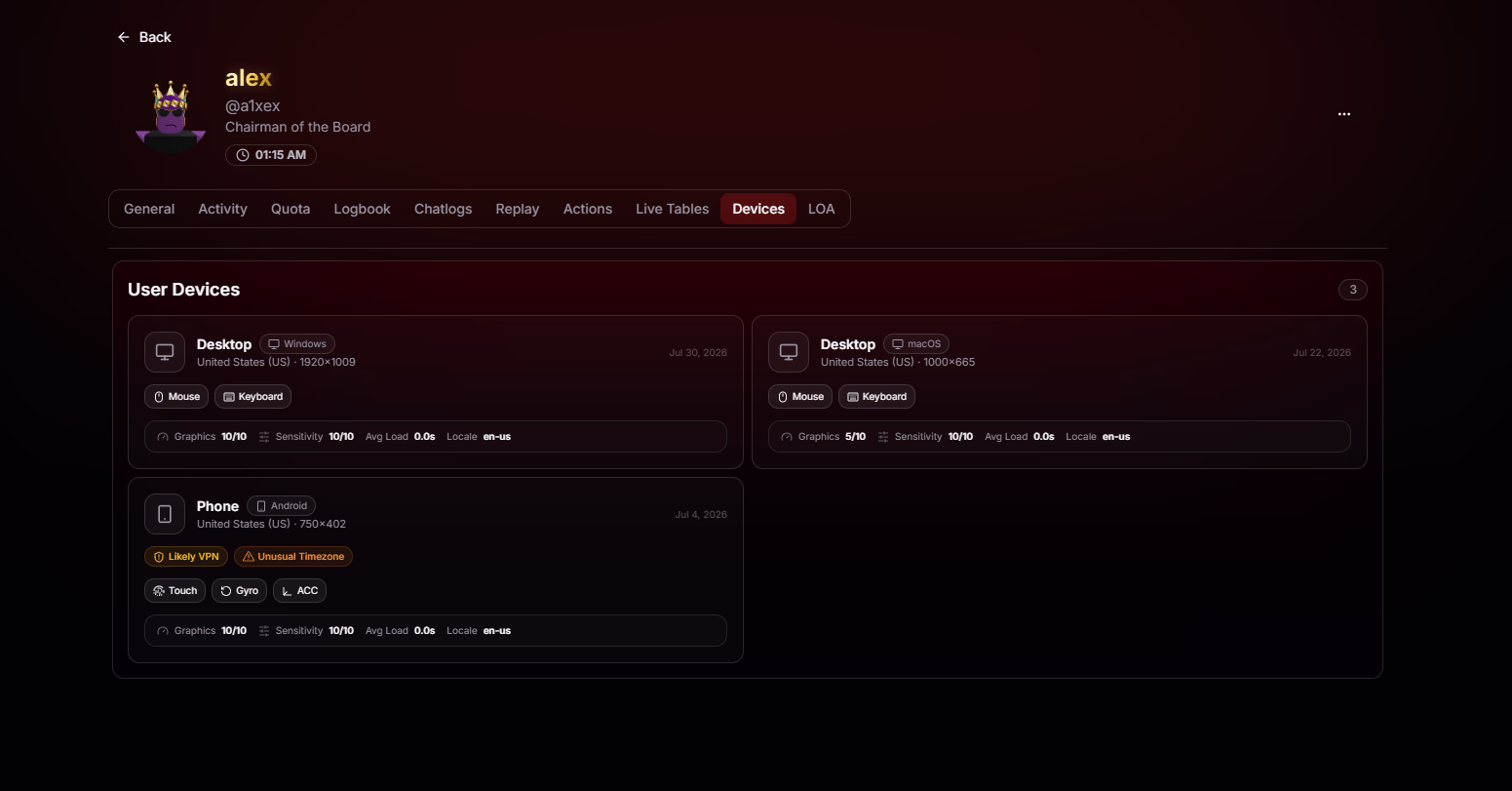
Device Type & Platform
See the player’s device type, including Desktop, Phone, Tablet, or Console, along with the detected operating system such as Windows, macOS, Android, or iOS.
Last Seen In-Game
Every device is timestamped with the last time it joined your game, so you can tell active hardware from long-forgotten sessions.
Roblox-Provided Basics
View Roblox-reported device details, including graphics quality, sensitivity, average load, locale, and supported input methods such as mouse, keyboard, touch, gyro, and accelerometer.
Resolution & Region
See the detected country and screen resolution for each device, providing additional geographic and device context at a glance.
Automatic Warnings
BloxCord automatically flags suspicious devices, making it easy for staff to spot potential issues without digging through the details.Likely VPN
When a device’s connection profile matches known VPN, proxy, or anonymizer patterns, it’s tagged so you can factor that into moderation decisions.
Unusual Timezone
If a device’s timezone doesn’t match its detected country or expected activity, BloxCord flags it as a potential anomaly for staff to review.